Changelog / Updates
Sanctus Library v3.4.0 - 21/05/2026
NEW FEATURES
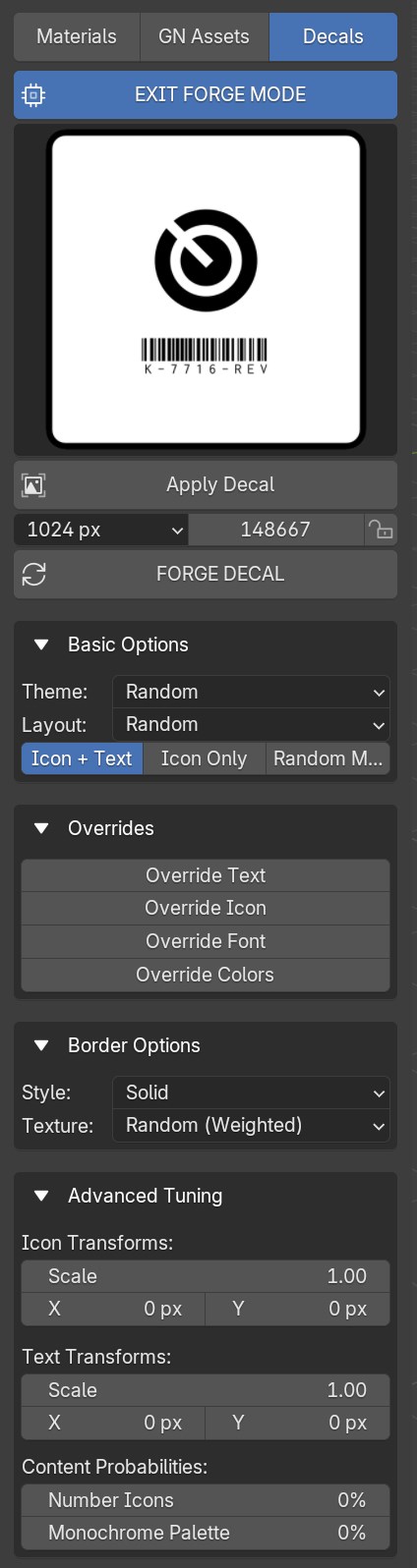
- Decal Forge Tool: Implemented a
Procedural Decal Generation Enginewith thousands of combinations, instant random and custom generation. You can apply or save the creations to disk to use later. Decal Forge Documentation
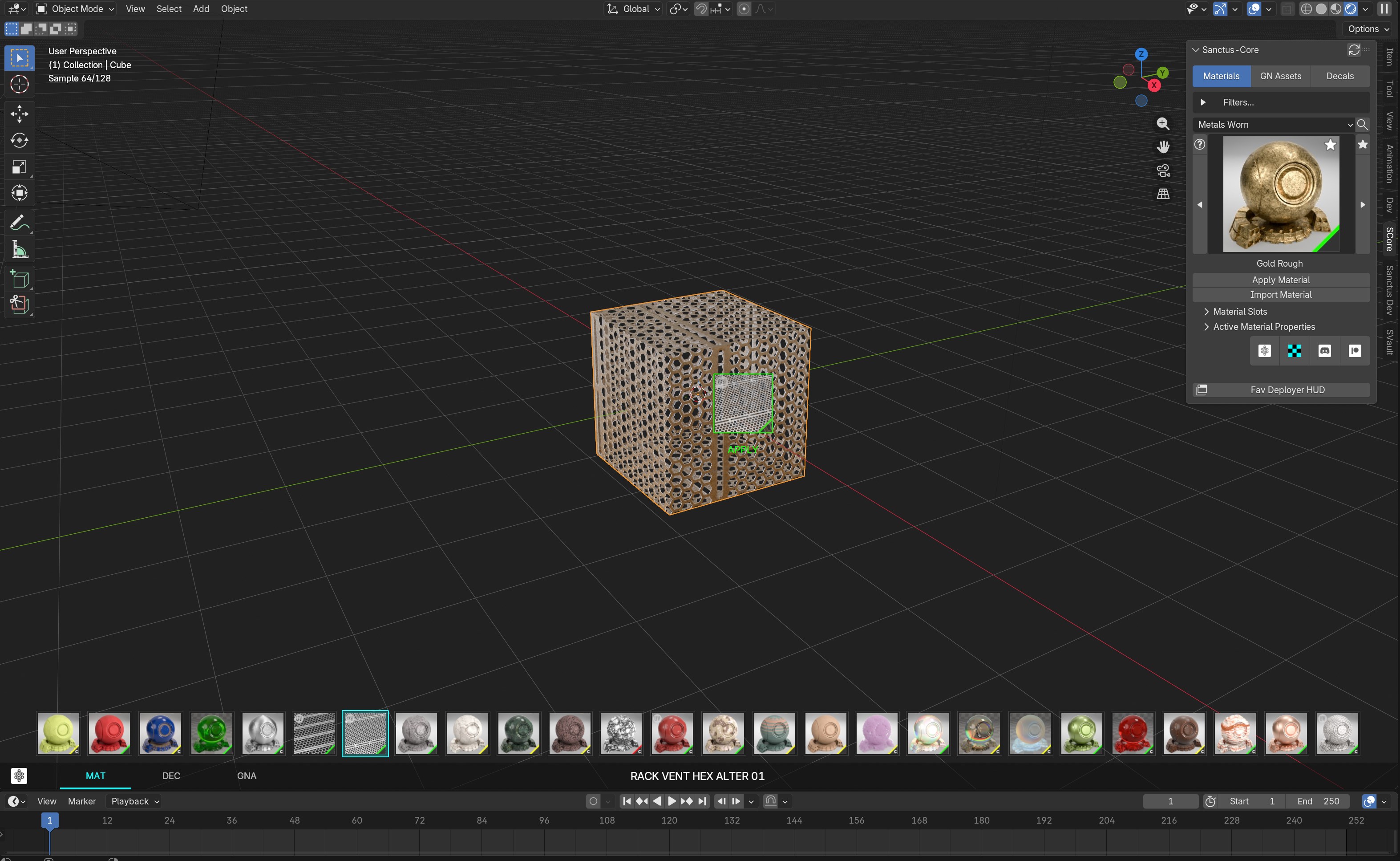
- Fav Deployer: The Favorites Deployer Tool is a high-performance viewport HUD designed to streamline your workflow by providing instant access to your most-used assets. While it shares some similarities with Blender's native Asset Browser, it offers a significant Smart Advantage, unlike the standard browser which simply assigns data, the Favorites Deployer understands the context of each asset. It automatically triggers the appropriate tools (like curve drawing for specific Geometry Nodes assets) and provides real-time visual validation during placement. Fav Deployer Documentation
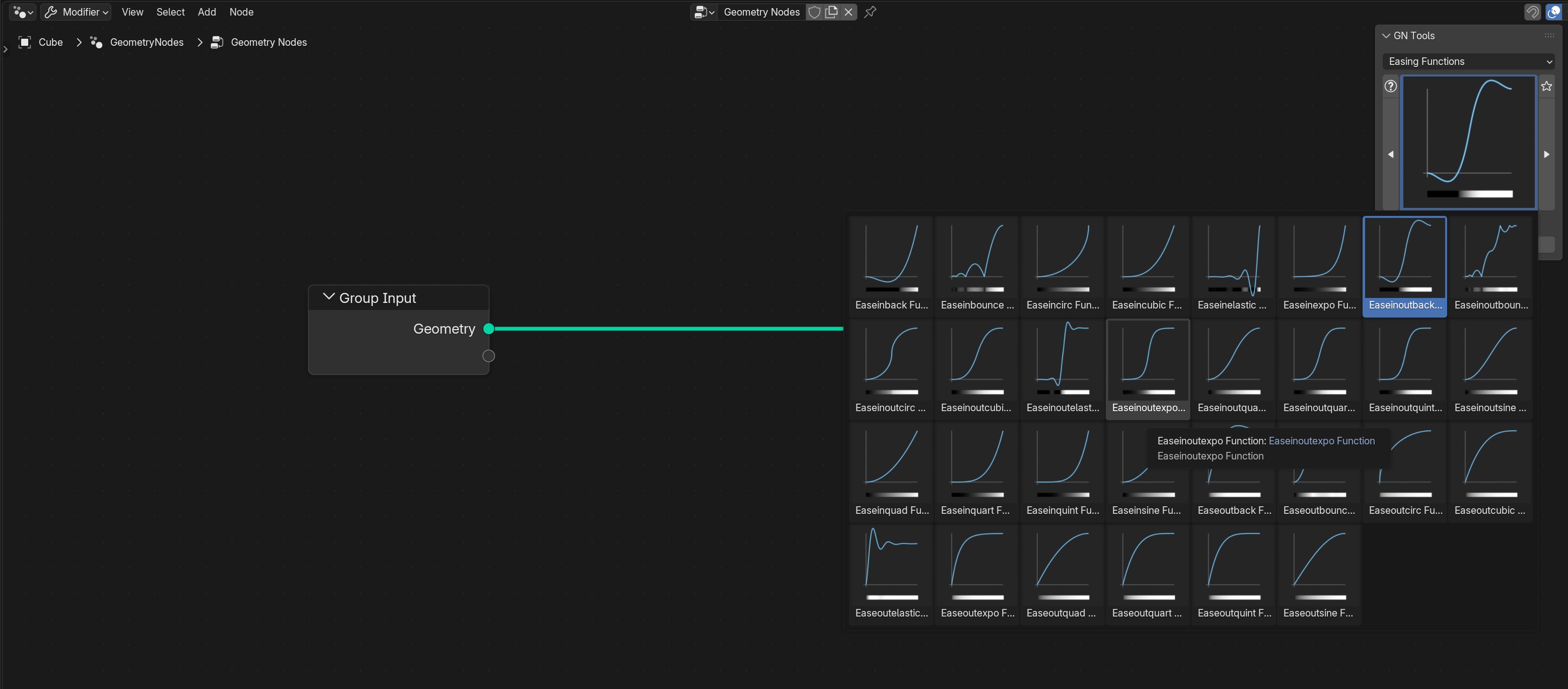
- New Asset Type: GN Tools: This new asset types are custom group nodes to use in the
Geometry Nodes Editor. They are useful tools, effects, and other custom made nodes that will help and improve Geometry Nodes workflows.
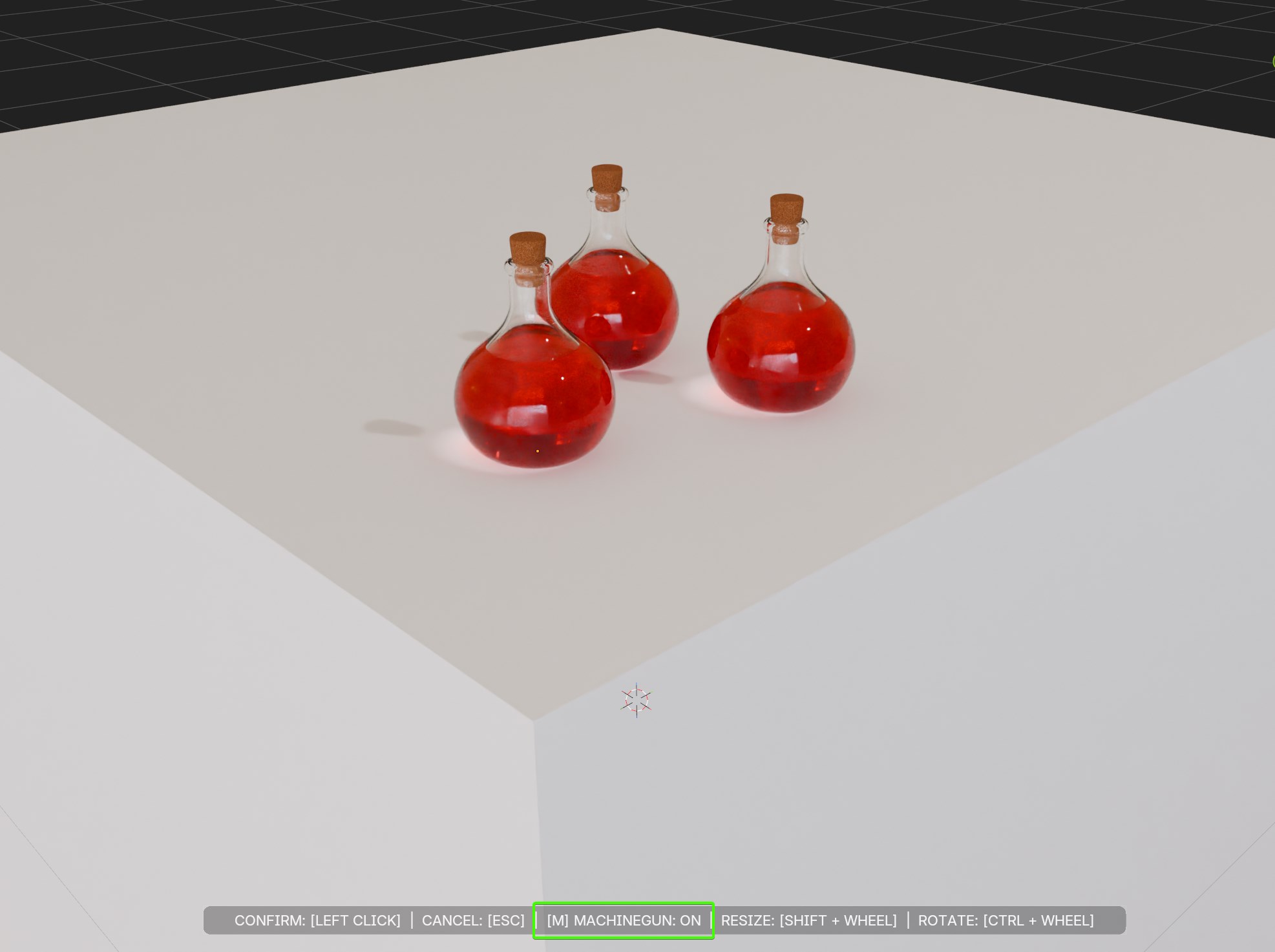
- Machinegun Mode: A new mode is available in ADD NEW and APPLY TO SURFACE GN Asset types. While placing, press M to enter
Machinegun Modeand place copies of the asset on each left click.
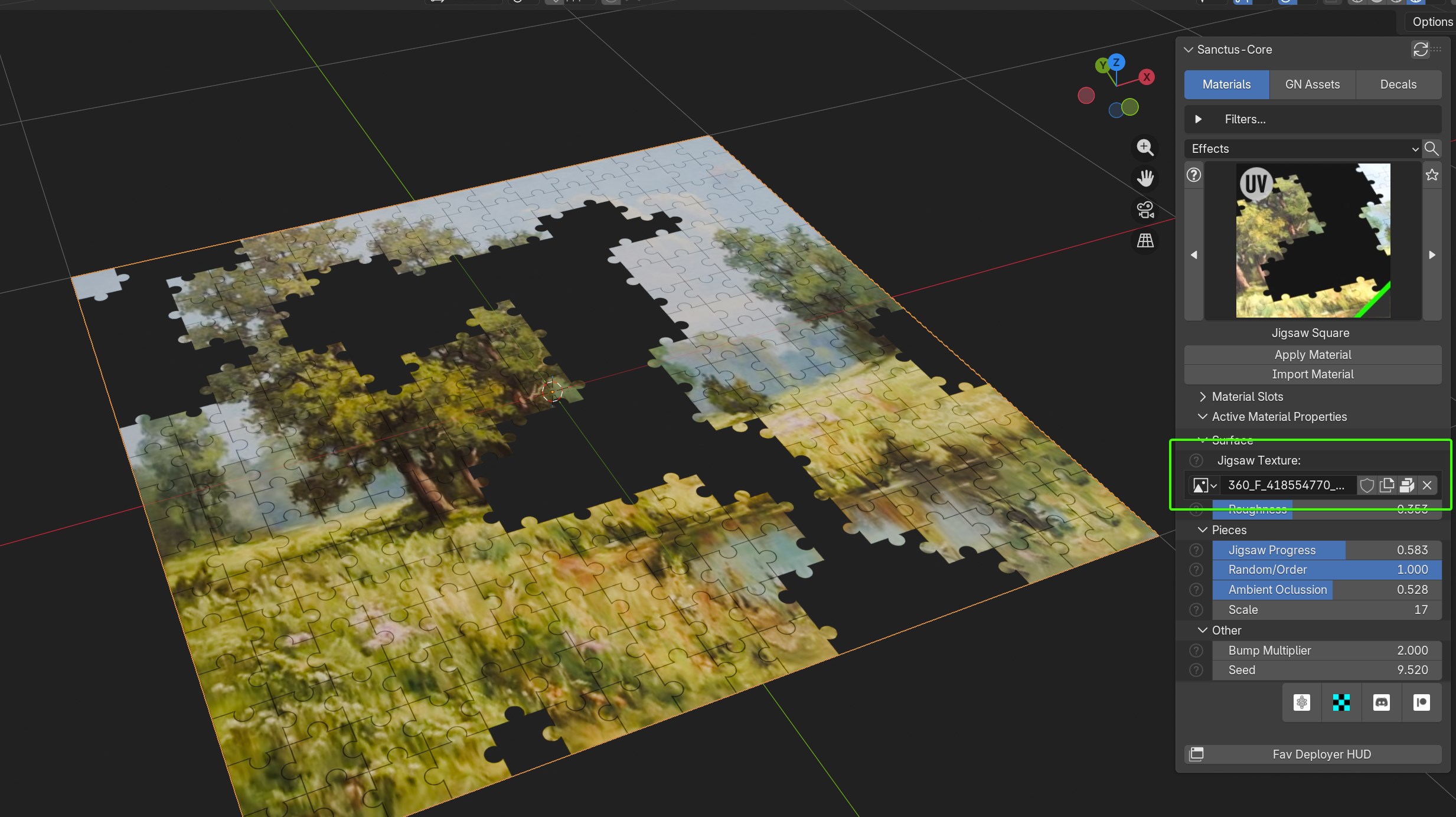
- Exposed Image Nodes: Materials using Image Texture Nodes now show them in the addon's N panel.
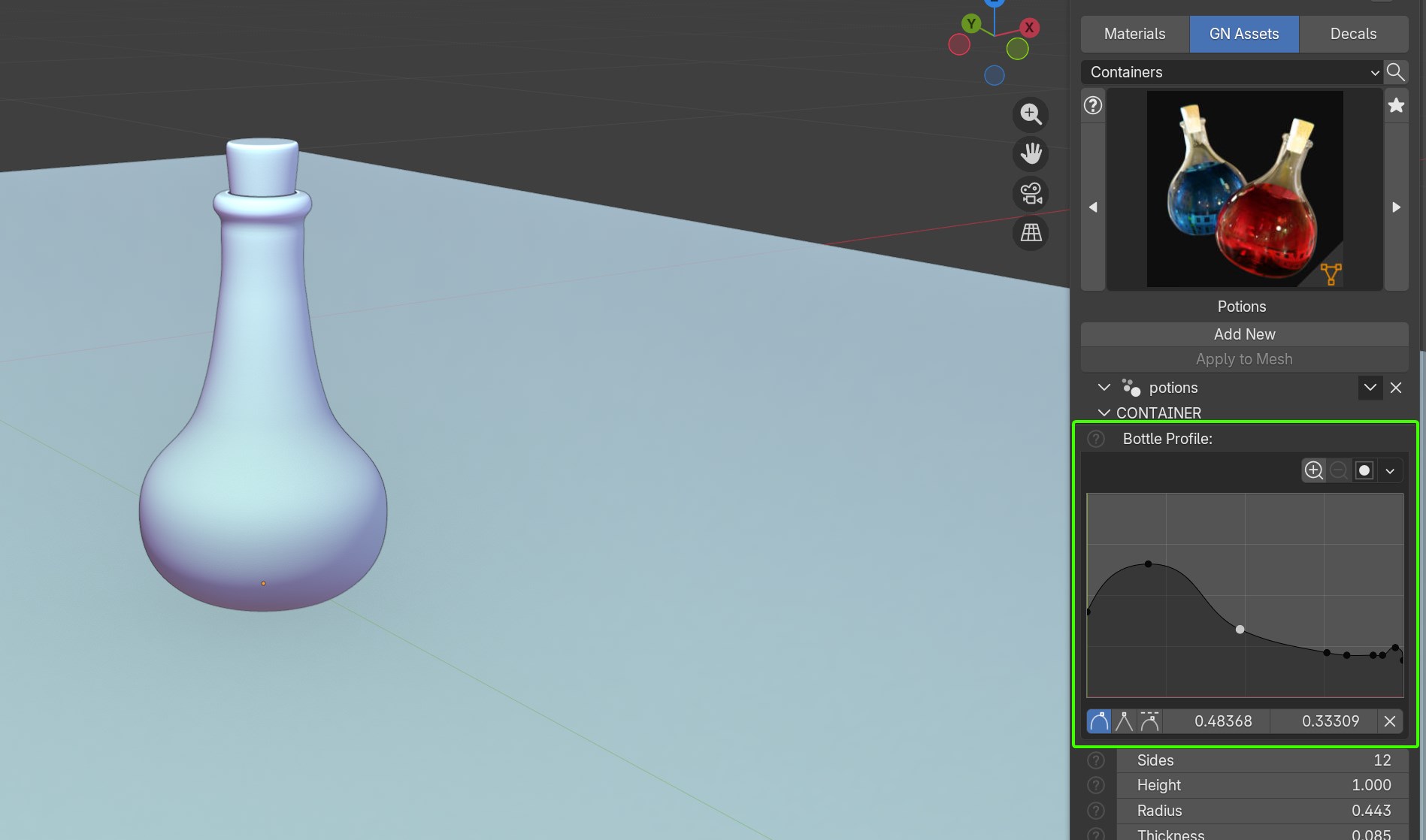
- Exposed Curve Nodes: Curve Nodes are now directly accessible from the addon's N panel
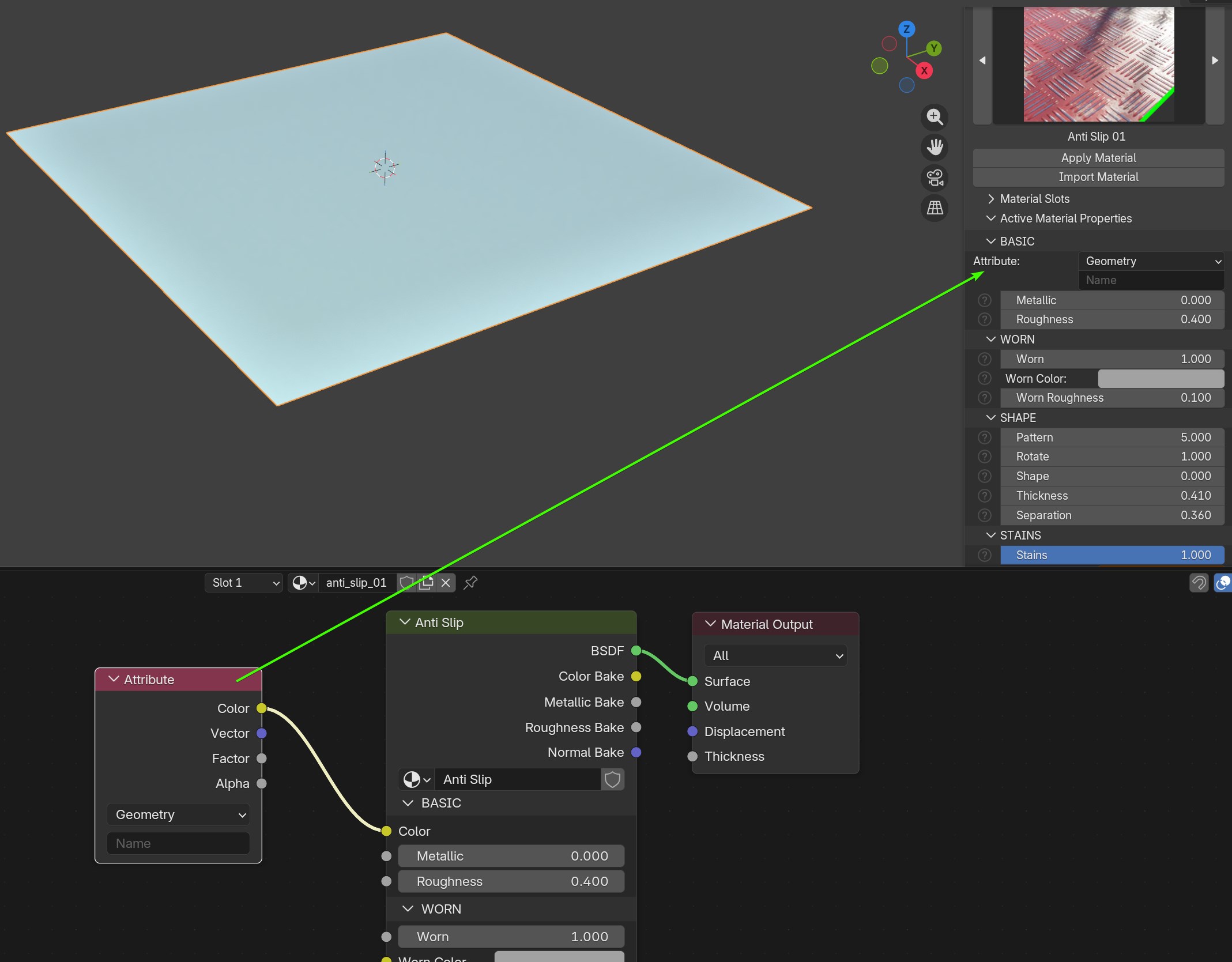
-Exposed Complex Nodes: Material panel now shows nodes like Attribute Node, Color Attribute Node, UV Map Node, Tangent Nodeand others when you plug them to the main material group node. This removes the need to directly edit them in the shader editor, saving time and improving efficiency.
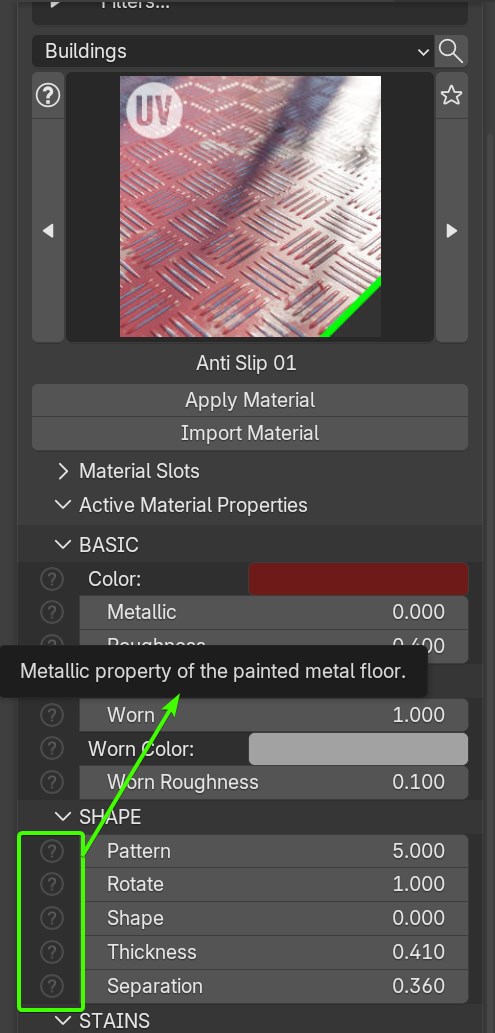
- Parameter Descriptions: Optional hint icons are displayed in the addon N panel beside the parameters. If you mouse over them they will show you the parameter description. The feature can be toggled in the addon preferences
INTERFACE>Show Parameter Description Icons
- Improved GN Assets panel:
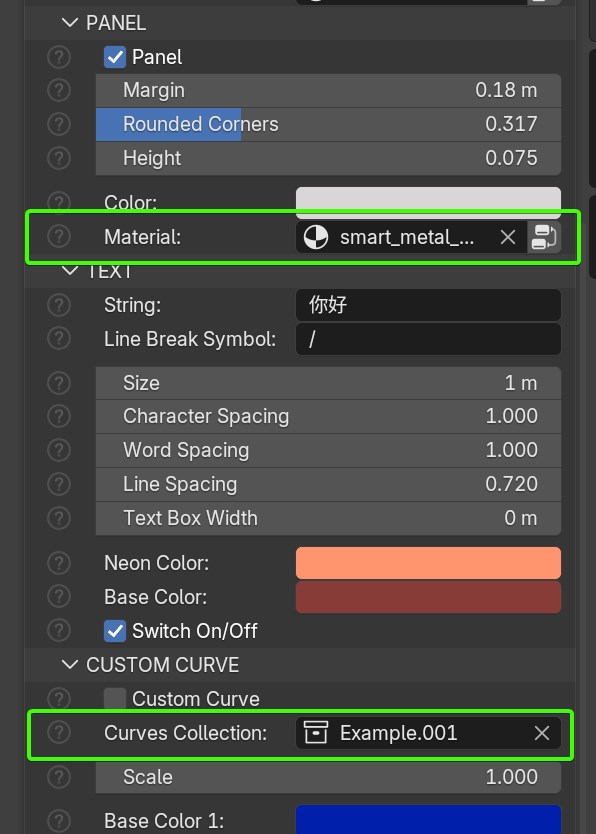
Images Selection,Materials,collectionsandobjectsare now exposed directly in the viewport N panel, making it easier to access and removing the need to manually go to the modifiers tab to change them.
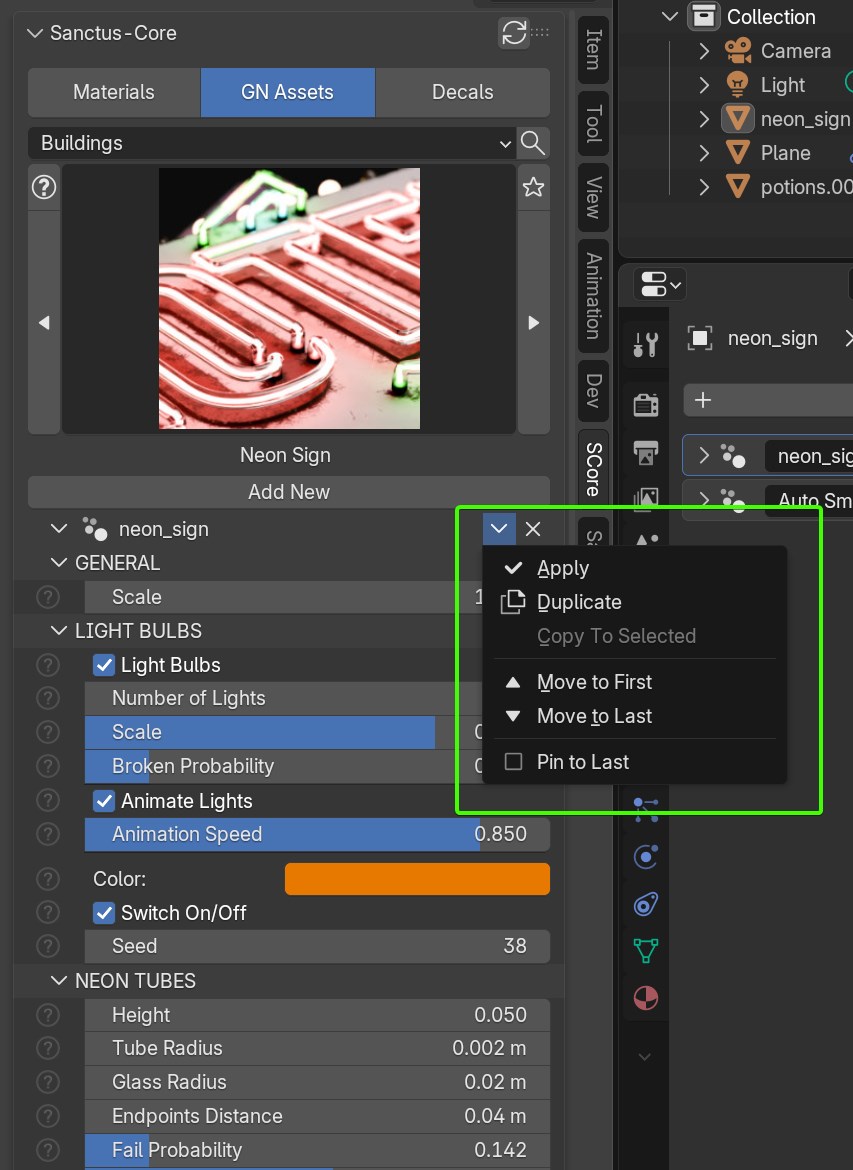
- Added GN Modifier Control: Controls for the GN modifier added to the top of the parameters in the N panel. This will make it easier to remove or apply the current GN modifier / generator without having to go to the modifiers tab.
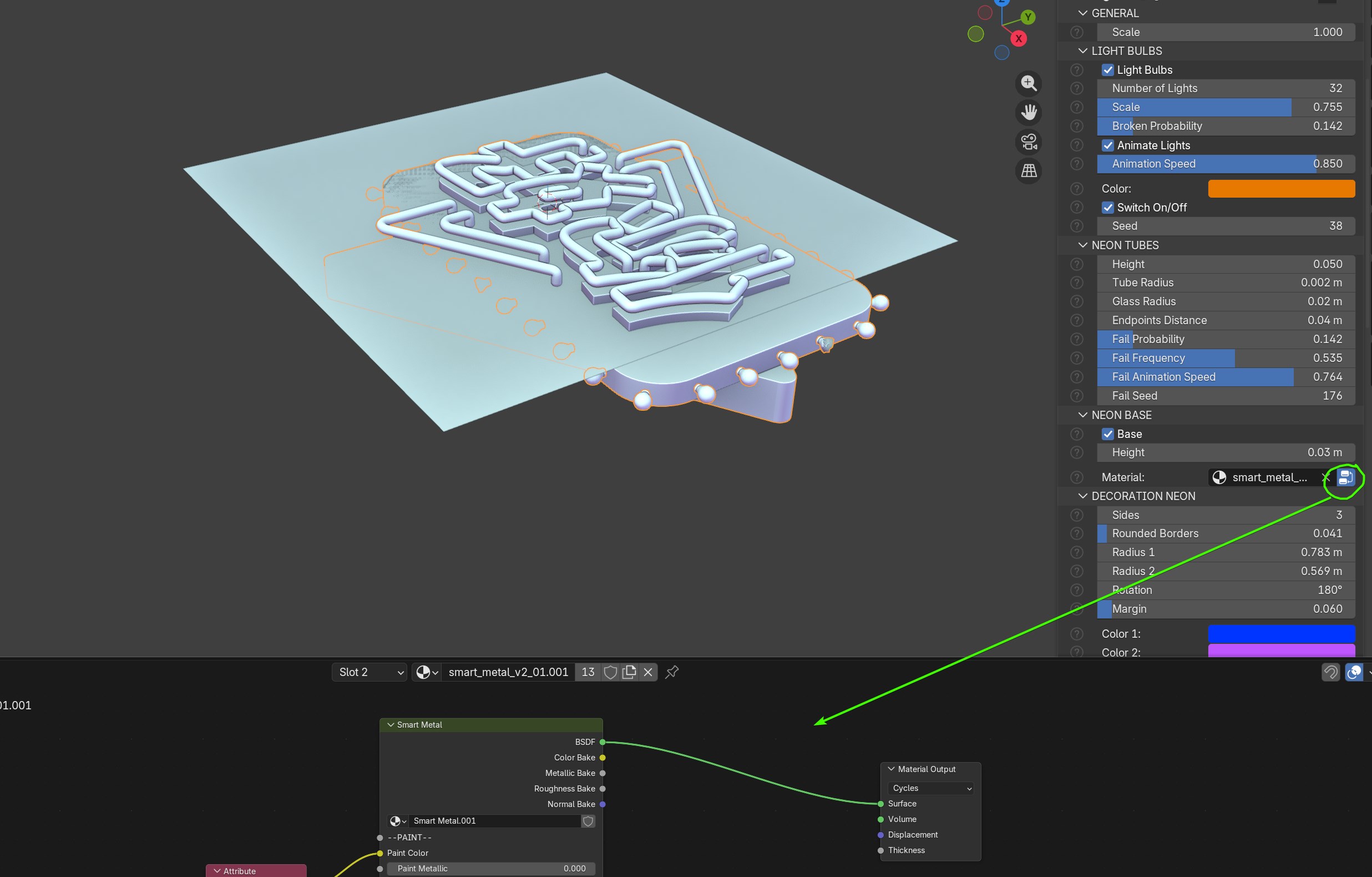
- New GN Material easy edit: A new custom system to have easy access to materials used by GN Assets was implemented. You will now see a small Nodes Icon that you can toggle. While active, you can switch to the shader editor and the material will be there for you to edit. Before we had to manually remember the name and assign it to a dummy object to be able to edit it. Now we can just activate the button to "temporarily select it" edit it and then toggle the button back off to "unselect it".
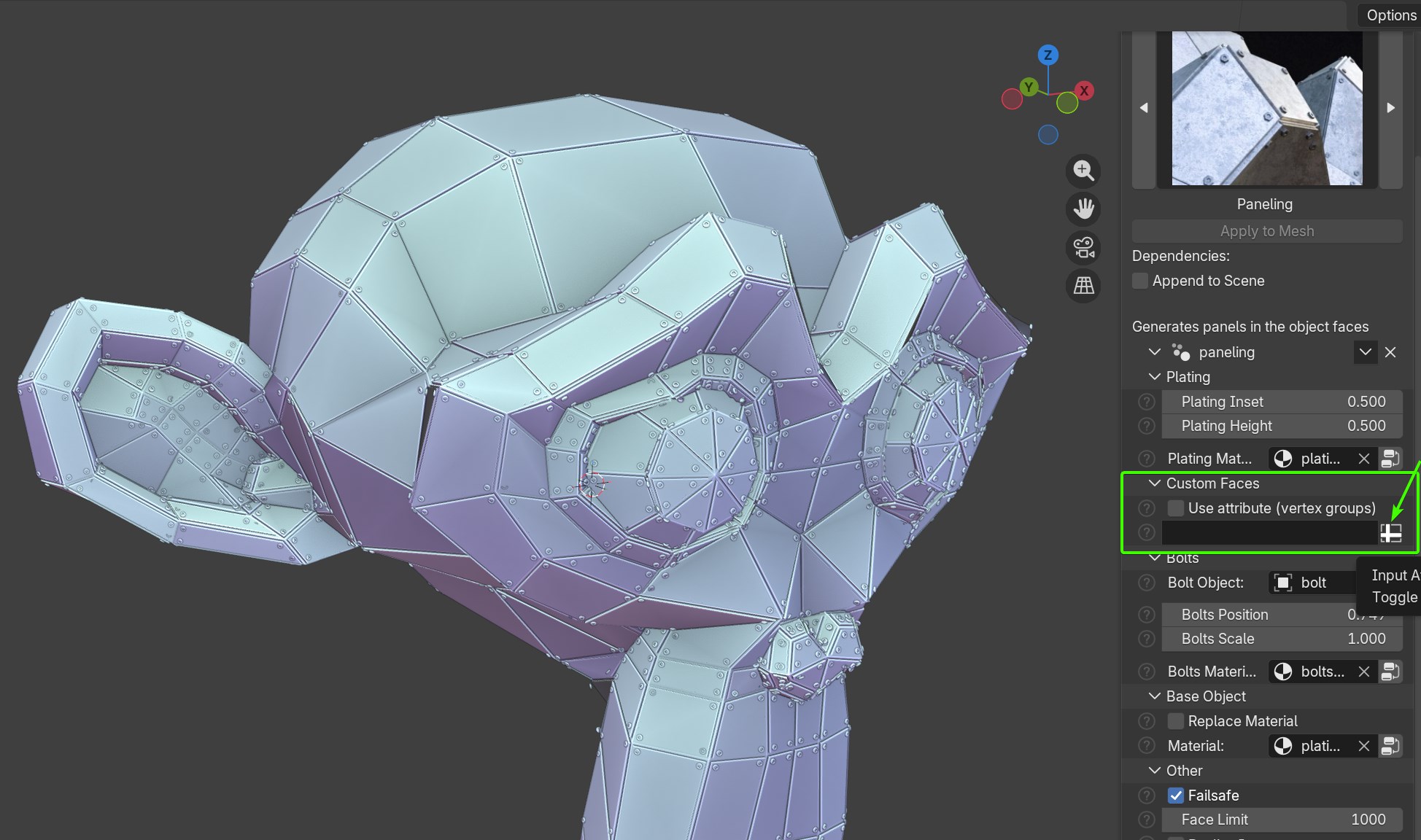
- Attribute Inputs exposed: The Geometry Nodes slots that can be switched to Attribute inputs are now directly exposed in the addon panel to avoid having to go to the modifier tab.
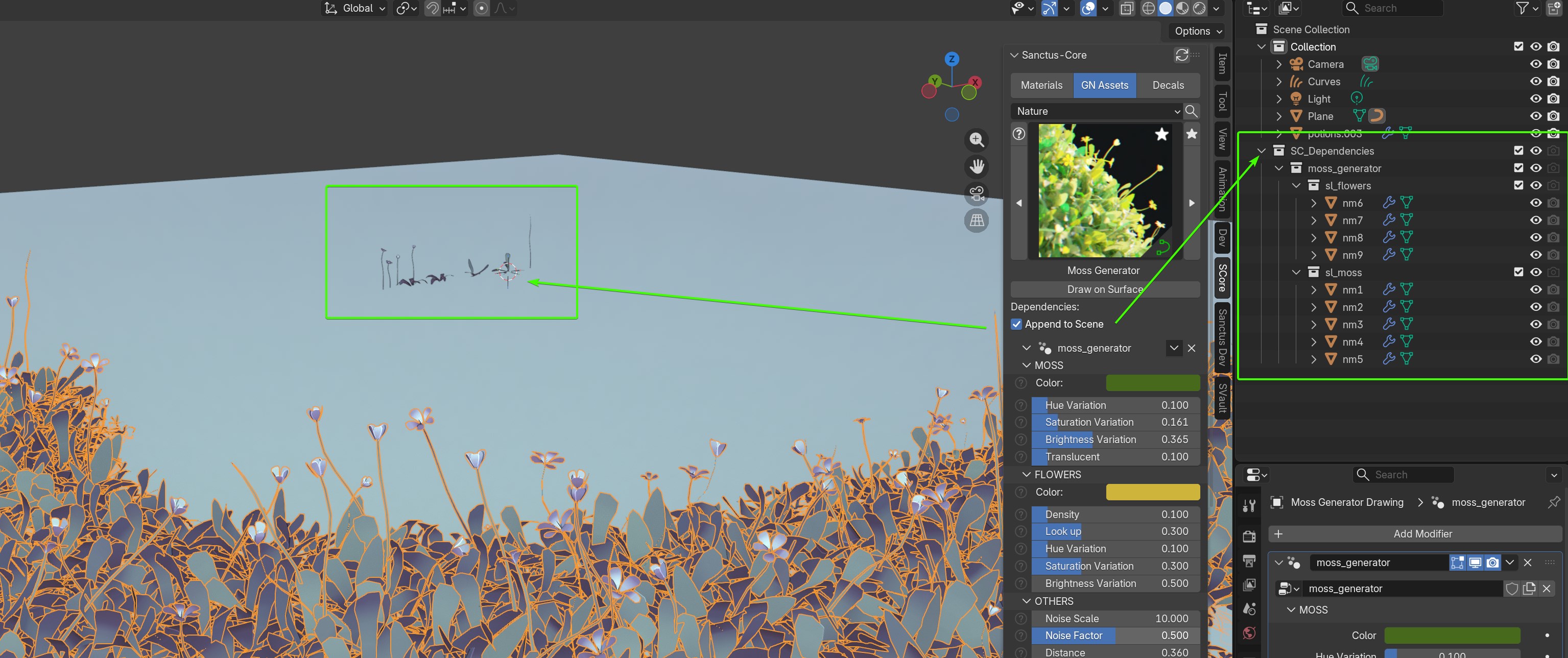
- Append Dependencies:
GN Assetsthat use dependencies like other objects (example the roof tiles generator uses a tile object) now have the option to add those dependencies to the current scene. The default behaviour appended the dependencies but they were not added to the scene, so they could be used by the Generator but you could not find them in the Outliner. Now if you know you want to modify any dependencies you can use this opcion to be able to see them. The dependency objects will be added to aSpecific Collectionto keep theOutlinertidy. You will see a Dependencies: Append to Scene checkbox in the Addon N Panel when this option is available.
CHANGES
Improvements
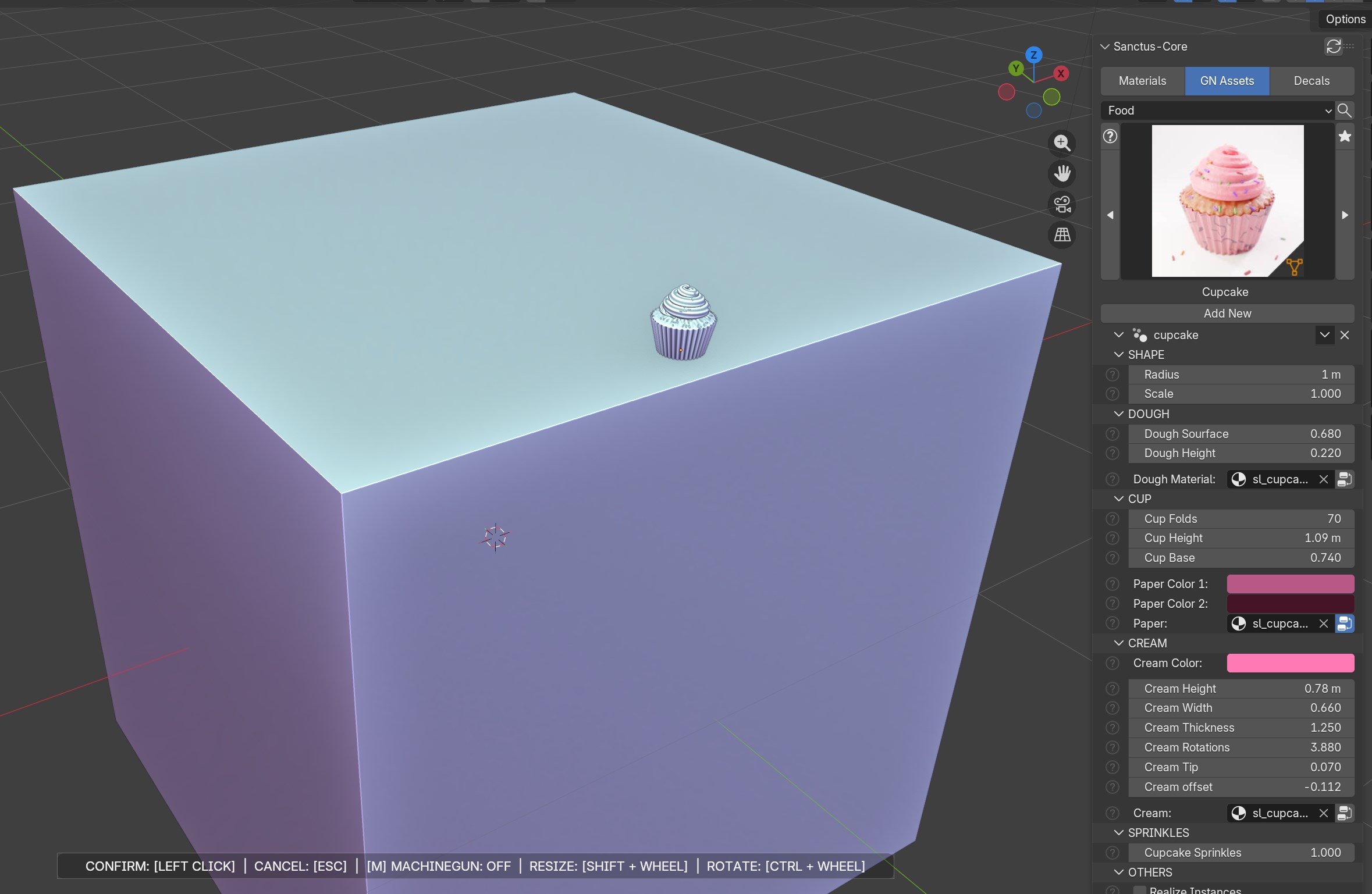
- Add New GN Asset Type: Old system spawned the asset in the world origin New system let's you manually position it where you need. A menu with rotation and scale options will show up while placing it.
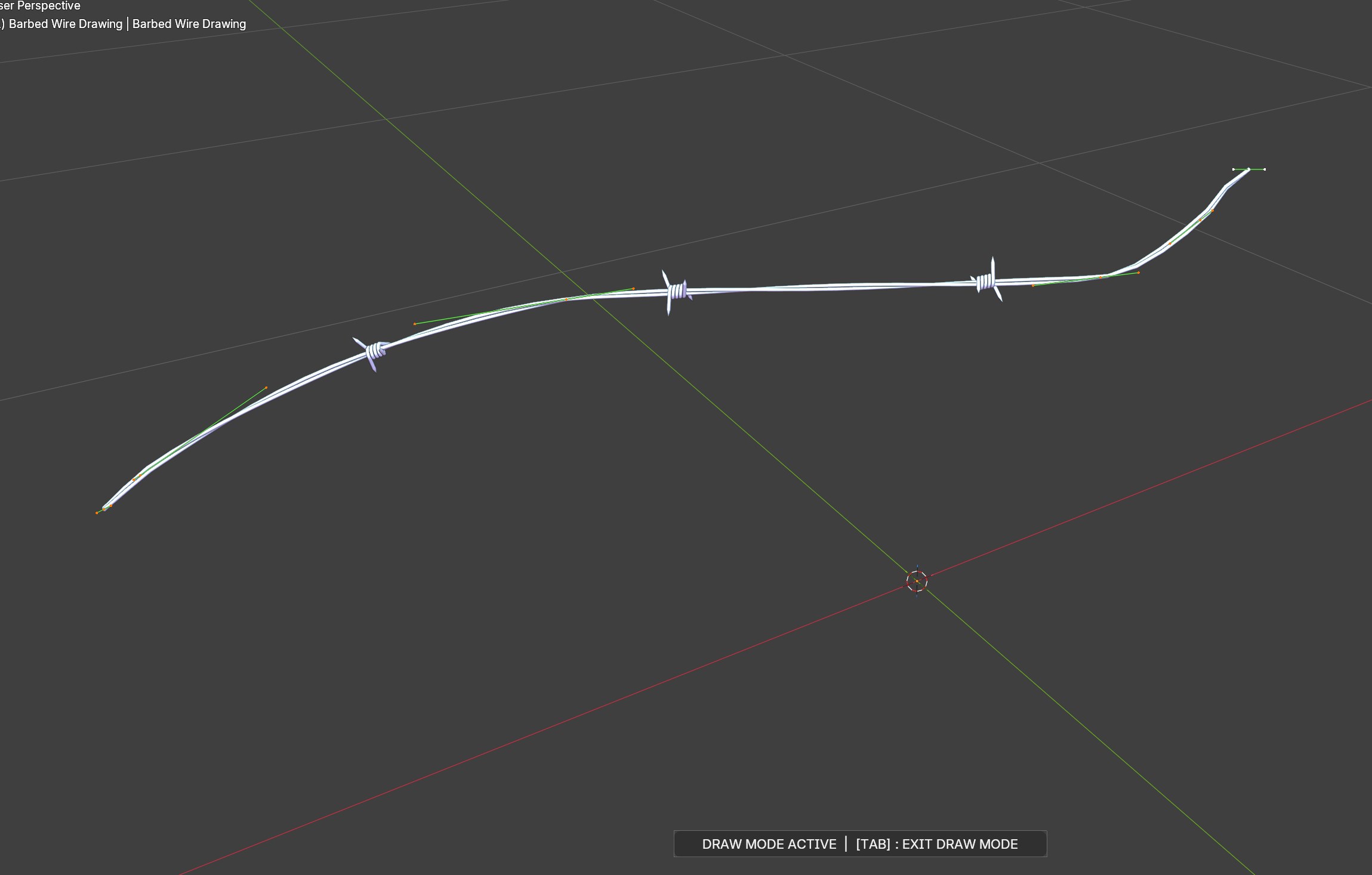
- Draw GN Asset Types: A menu with instructions on how to exit draw mode is now shown.
- Material Parameters UI: Improved parameters ui
- Addon Loading Time: Improved Addon and Assets Loading time
- Fast Favorites: Favorite toggle was improved from a 1 to 2 seconds delay to virtually instant.
- Pillow Installation: Improved system and UI to install the now called
Image Processorin the addon preferences. It now shows if it is active and has a button to Update it if necessary. - Material Icons: Icons are now rasterized in the
Thumbnailsinstead of usingOverlayed imagesto improve loading times. - Decal Tool: Improved button labels, descriptions and added new icons.
- Smart GNAssets: Improved performance. Duplicated assets will share the same groupnode instead of appending multiple copies. If the appended copy is from a newer version of the addon, append the new version once, then subsequent copies share groupnode again.
- Smart Decals Cleaning: Decals used to import all dependencies for every decal placed. Now they all share the same nodegroups to keep the blend file clean. Addon version is used to check if the decal tool is newer and in that case it will use the the new version instead.
Fixes
- Decal Placing: When you add a
DecalaCollectionto organize them in theOutlineris created. If you excluded this collection from the current viewport (for example inLocal View/ theDecal Toolcouldn't access theCollectionand the tool failed with an error. Now theDecal Tool"unhides" theCollectionbefore applying a Decal to address this situation. - Reposition Decal: It was acting over the active decal, now it needs to be selected.
- Warnings Messages: Cleared Warning messages that from the console when a My Favorites category was empty after removing the last asset.
- Decals Favorites: The decals favorites Category was not showing correctly because the asset type was not correctly identified.
NEW ASSETS
Materials
- tartan_b_fabric - Fabrics (4)
- tartan_fabric - Fabrics (4)
- jigsaw_square - Effects (1)
- 3d_printed - Synthetics (4)
- perlage_concentric - Metals (4)
- perlage - Metals (4)
- expanded_ps - Synthetics (4)
- brass - Metals (1)
- brass_polished - Metals (1)
- brass_pure - Metals (1)
- brass_rough - Metals Worn (1)
- old_brass - Metals Worn (4)
- smart_camo - Metals Worn (4)
- chalk - Others (4)
- pumice_stone - Stones (4)
- smart_camo - Metals Worn (4)
- rustic_fabric - Fabrics (4)
- wool_carpet - Fabrics (4)
- polyester_fabric - Fabrics (4)
- rack_vent_capsule - Metals (4)
- rack_vent_capsule_alter - Metals (4)
- rack_vent_circular - Metals (4)
- rack_vent_circular_alter - Metals (4)
- rack_vent_cross - Metals (4)
- rack_vent_dot_capsule - Metals (4)
- rack_vent_hex - Metals (4)
- rack_vent_hex_alter - Metals (4)
- smart_metal_pro - Metals Worn (4)
- gelatin - Food (4)
Added Displacement Switch to these materials that only had Bump method before:
- mixed_tri_hex_tiles - Tiles (4)
- diamond_corner_tiles - Tiles (4)
- mixed_tiles - Tiles (4)
- opus_roman_tiles - Tiles (4)
- star_diamond_tiles - Tiles (4)
GN Assets
- jellyficator - kinetics (1)
- inertia - kinetics (1)
- wind - kinetics (1)
- oscillator - kinetics (1)
- tracker - kinetics (1)
- paneling - others (1)
Decals
- barcodes - (100)
- hazard - (100)
- industrial - (100)
- sci-fi - (100)
- military - (100)
GN Tools
- easeInBack_function - Easing Functions (1)
- easeInBounce_function - Easing Functions (1)
- easeInCirc_function - Easing Functions (1)
- easeInCubic_function - Easing Functions (1)
- easeInElastic_function - Easing Functions (1)
- easeInExpo_function - Easing Functions (1)
- easeInOutBack_function - Easing Functions (1)
- easeInOutBounce_function - Easing Functions (1)
- easeInOutCirc_function - Easing Functions (1)
- easeInOutCubic_function - Easing Functions (1)
- easeInOutElastic_function - Easing Functions (1)
- easeInOutExpo_function - Easing Functions (1)
- easeInOutQuad_function - Easing Functions (1)
- easeInOutQuart_function - Easing Functions (1)
- easeInOutQuint_function - Easing Functions (1)
- easeInOutSine_function - Easing Functions (1)
- easeInQuad_function - Easing Functions (1)
- easeInQuart_function - Easing Functions (1)
- easeInQuint_function - Easing Functions (1)
- easeInSine_function - Easing Functions (1)
- easeOutBack_function - Easing Functions (1)
- easeOutBounce_function - Easing Functions (1)
- easeOutCirc_function - Easing Functions (1)
- easeOutCubic_function - Easing Functions (1)
- easeOutElastic_function - Easing Functions (1)
- easeOutExpo_function - Easing Functions (1)
- easeOutQuad_function - Easing Functions (1)
- easeOutQuart_function - Easing Functions (1)
- easeOutQuint_function - Easing Functions (1)
- easeOutSine_function - Easing Functions (1)
Shader Tools
- sdf_2d_triangle - sdf functions (1)
- sdf_3d_capsule - sdf functions (1)
- sdf_3d_round_cone - sdf functions (1)
- sdf_3d_rounded_box - sdf functions (1)
- sdf_3d_sphere - sdf functions (1)
- sdf_3d_symetry - sdf functions (1)
- sdf_3d_torus - sdf functions (1)
- sdf_difference - sdf functions (1)
- sdf_intersect - sdf functions (1)
- sdf_union - sdf functions (1)
OTHER CHANGES
Improvements
- Color Calibration: Rebalanced base color saturation and values across the entire 700+ library materials to fix legacy Filmic over-saturation, ensuring physically accurate results in modern color spaces.
-
New Thumbnails: As requested, thumbnails are now a full shader ball instead of the close up look we had before for most materials (excluding fabric and surfaces).
-
Assets Documentation: Documentation of assets is now finally complete (350+ pending assets docs where completed).
- New Documentation System: A faster and more robust documentation system was implemented. Most pages where reworked and improved.