Cable On Surface
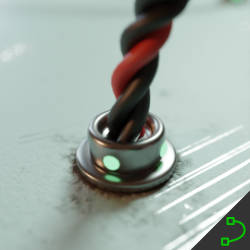
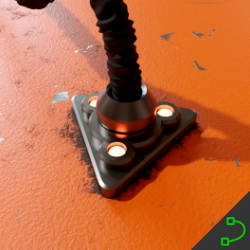
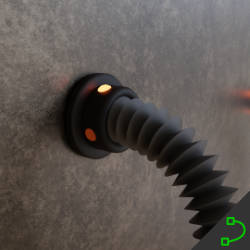
Technical Details
Asset Type: Geometry Nodes Asset
Usage
Select a target MESH object, use the Draw on Surface button in the Addon panel to draw this asset on its surface.
Parameters
Cable Material: By default the cable has a material assigned that allows you to change the color on the same modifier, but you can change it to any other material if you want
Cable Color 1: Cables color 1
Cable Color 2: Cables color 2
Target Object: The object where you are drawing the cables. The endpoints uses the normal of the target object to get aligned to it's surface
Target Collection: Objects in this collection will also be considered to align the endpoints, this allows you to create cables that go from one object to another
Cables Distance: The distance from the cable to the object's surface
Auto Handles: Smooths out sharp corners of the curve by changing the handle types to Auto
Replace Tips: 0 uses the default endpoints object, 1 replaces is with the one specified in Tips
Tips: An object to replace the endpoints
Tips Handles: The distance of the curve handle at the endpoints
Tips Distance: The distance from the endpoints to the surface (if you change the endpoints this will help you adjust to the new shape)
Tips Scale: Tips Scale
Tips Offset: Tips offset to the target objects surface
Cable Amount: The amount of cables that form the main cable
Cable Resolution: The mesh resolution of the cable
Cable Rotation: Controls the twist of the cable
Cable Radius**: Sets the cable radius
User's Gallery
Have your render featured here!
Do you want to be featured? Submit a render using this asset to our Discord