Modify the default tiles object geometry?
When you apply an Auto Roof generator, there is a collection holding the tiles, but you can't see it because it's not added to the scene directly.
I'm currently working on giving users an option to do this automatically by checking a box while applying the generators to objects, but in the meantime you can follow this quick guide
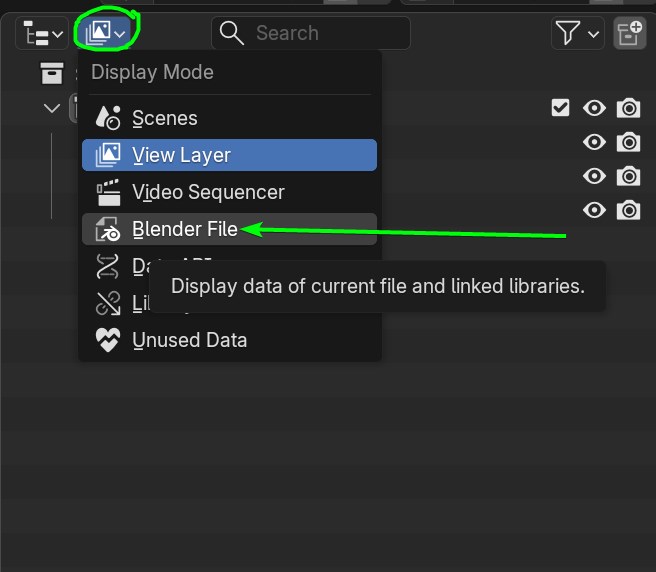
- When you apply any of the Generator, in your Outliner, click the Display Mode button and switch to Blend File
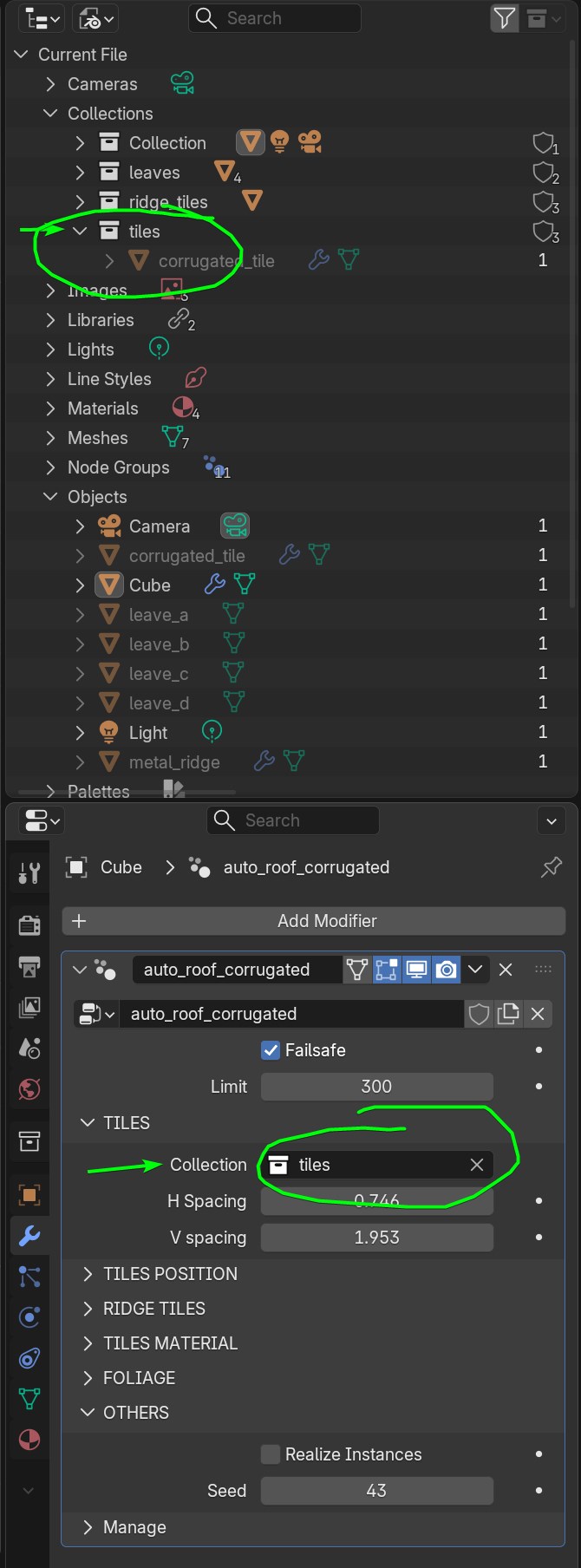
- You can always corroborate the name of the collection being used in the Modifiers tab
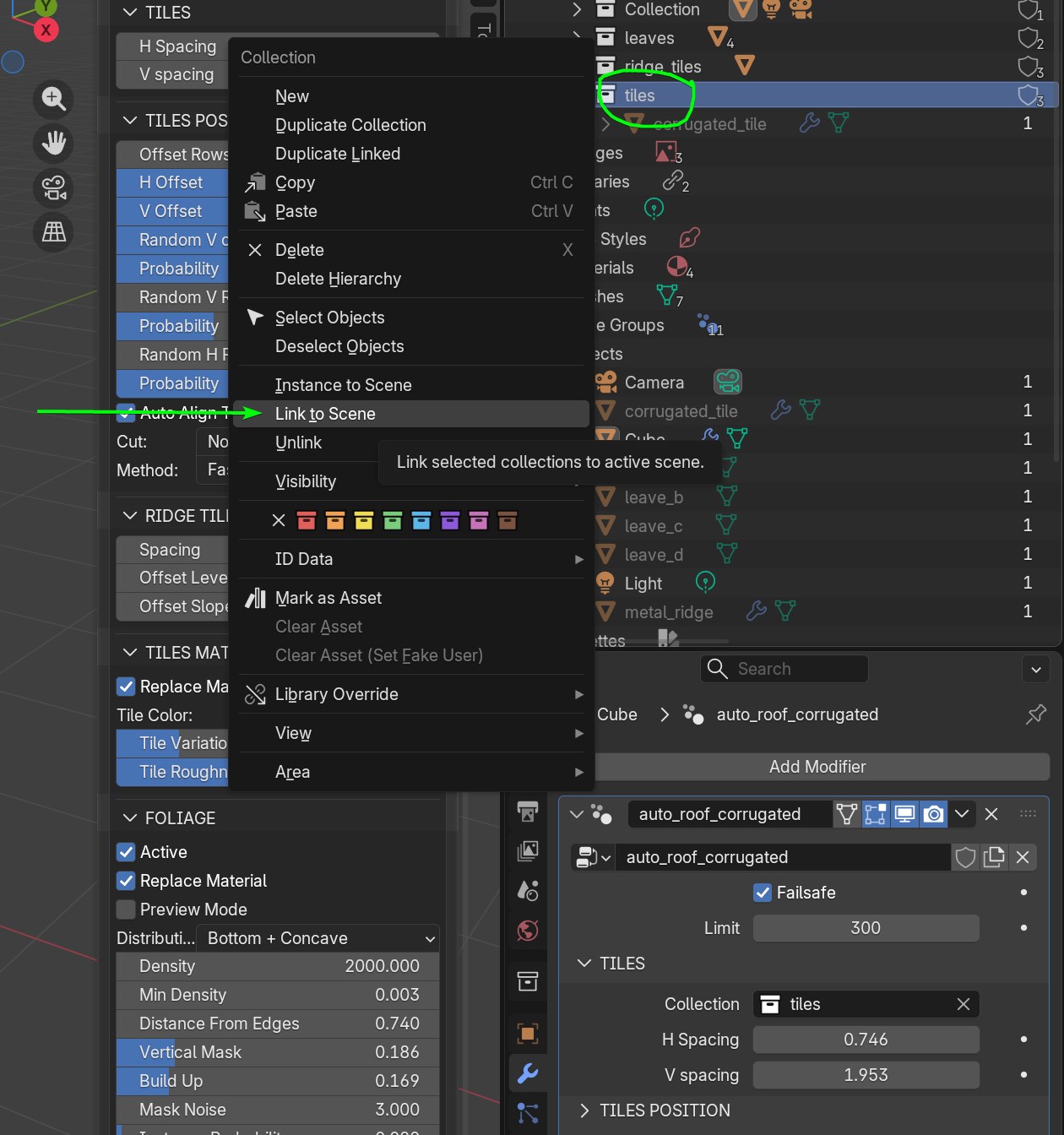
- Right click the collection in the menu click "Link to Scene". This will add the objects to your scene so you can interact with them and modify them
Have in mind that if you change the dimensions of the tile, you will have to adjust the Tiles Separation parameters accordingly. More info in the Custom Tile Objects guide