Reposition Decals
The Reposition Decals feature provides an efficient way to adjust decal placement. While manual adjustments are always possible, this tool simplifies alignment with the target object.
When a decal is selected, the Reposition Decal button becomes available in the addon panel.
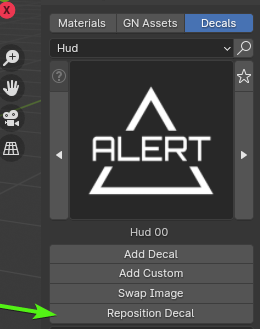
This function preserves all existing decal properties, including damage, emission, color, scale, and rotation. Therefore, the decal will retain its appearance after repositioning.
Pro Tip
Use this tool to quickly change decal placement without losing your existing customizations.