Stack In Volume
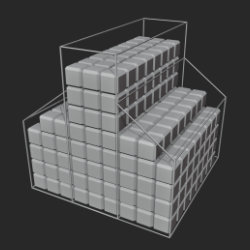
Technical Details
Asset Type: Geometry Nodes Asset
Usage
Select your MESH target object, use the Apply to Mesh button in the Addon panel to add this asset to your scene.
Parameters
Instance Object: The object that will be instanced inside the container
Show Container Bounds: Shows the container wireframe to aid visualize the container while editing
Remove Inner: Removes instances that have neighbors in all 6 directions (+X, -X, +Y, -Y, +Z, -Z)
Snap to volume floor: Sets the lower point in the lower layer of instances aligned to the lowest point in the container. In most cases aligns the stack to the container "floor"
Seed: Gives different results using the same parameters
Realize Instances: Activate this Only before applying the modifier to convert instances to mesh. (It may take some processing time)
▼ POSITION
Spacing: Spacing between instances
Random Position (Needs Spacing): Randomly moves instances inside the in-between spacing limit (to avoid overlapping)
Random Position Probability: The probability for an instance to be affected by random position parameter (0 = no instances affected, 1 = 100% of instances affected.)
▼ ROTATIONS
X Angle Snap: Limits rotations along the X axis in given angle steps
Y Angle Snap: Limits rotations along the Y axis in given angle steps
Z Angle Snap: Limits rotations along the Z axis in given angle steps
Rotation Probability: The probability for an instance to be affected by Rotation parameters (0 = no instances affected, 1 = 100% of instances affected.)
X Rotation: Adds random rotations of instances along X axis using the "Angle Snap" parameter limit
Y Rotation: Adds random rotations of instances along Y axis using the "Angle Snap" parameter limit
Z Rotation: Adds random rotations of instances along Z axis using the "Angle Snap" parameter limit
User's Gallery
Have your render featured here!
Do you want to be featured? Submit a render using this asset to our Discord