Sanctus Viz assets in Sanctus Library

This was a recurrent request, many users value the possibility to have everything centralized in one place.
So even if that was not the original idea, I added an option to do so.
How to do it
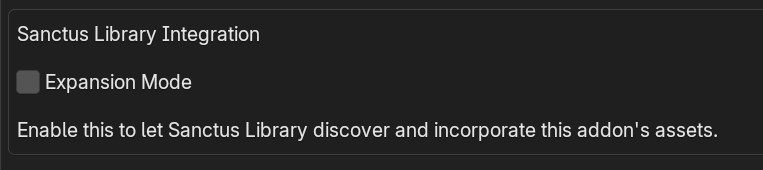
Once you install Sanctus Viz, go to the addon preferences and you will see a checkbox called "Expansion Mode". This basically switches Sanctus Viz into a Sanctus Library Expansion.
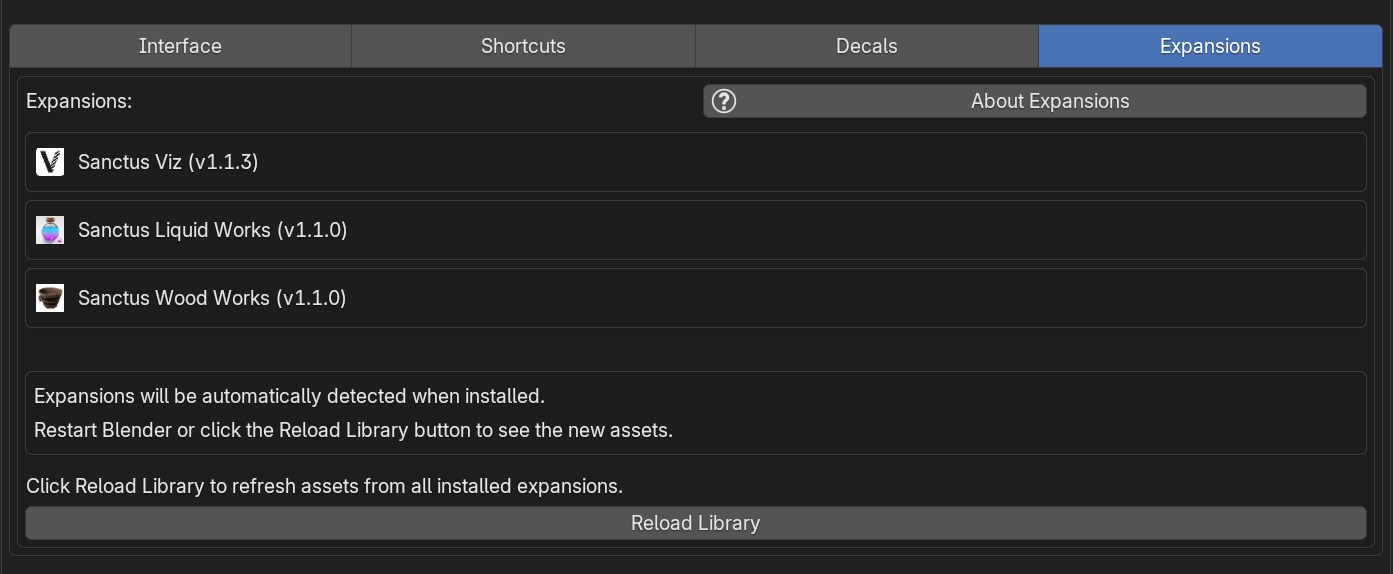
Once active, go to Sanctus Library Preferences > Expansions, you will now see Sanctus Viz listed as one of the expansions.
Use the "Reload Library" button to update the assets, then you will see all the assets in Sanctus Library N panel tab. The Reload Library is only needed after changing the "Expansion Mode" status in Sanctus Viz, restarting blender will also work, so if you don't change it you won't need to use the button again.
Requirements
You need the last versions of Sanctus Library and Sanctus Viz installed.
Updating
If you update Sanctus Viz, to make the new assets show in Sanctus Library, you can either restart Blender or use the "Reload Library" button in Sanctus Library > Preferences > Expansions.