Sl Dual Light
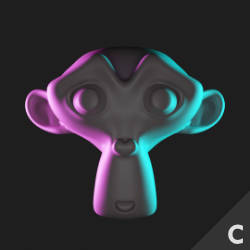
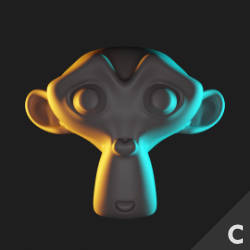
Technical Details
Asset Type: Geometry Nodes Asset
Usage
Select your MESH target object, use the Apply to Mesh button in the Addon panel to add this asset to your scene.
Parameters
▼ ACTIVE LIGHTS
Number of Lights: Controls how many of the 5 lights are active and visible in the scene.
▼ LIGHT 1
L1 Color: The color of the first light.
L1 Str: The strength of the first light.
Distance: The distance of the first light from the target object.
Rotate Horizontal: Rotates the first light horizontally around the target object.
Rotate Vertical: Rotates the first light vertically around the target object.
L1 Scale Horizontal: Scales the first light plane horizontally.
L1 Scale Vertical: Scales the first light plane vertically.
▼ LIGHT 2
L2 Color: The color of the second light.
L2 Str: The strength of the second light.
Distance: The distance of the second light from the target object.
Rotate Horizontal: Rotates the second light horizontally around the target object.
Rotate Vertical: Rotates the second light vertically around the target object.
Scale Horizontal: Scales the second light plane horizontally.
Scale Vertical: Scales the second light plane vertically.
▼ LIGHT 3
L3 Color: The color of the third light.
L3 Str: The strength of the third light.
Distance: The distance of the third light from the target object.
Rotate Horizontal: Rotates the third light horizontally around the target object.
Rotate Vertical: Rotates the third light vertically around the target object.
Scale Horizontal: Scales the third light plane horizontally.
Scale Vertical: Scales the third light plane vertically.
▼ LIGHT 4
L4 Color: The color of the fourth light.
L4 Str: The strength of the fourth light.
Distance: The distance of the fourth light from the target object.
Rotate Horizontal: Rotates the fourth light horizontally around the target object.
Rotate Vertical: Rotates the fourth light vertically around the target object.
Scale Horizontal: Scales the fourth light plane horizontally.
Scale Vertical: Scales the fourth light plane vertically.
▼ LIGHT 5
L5 Color: The color of the fifth light.
L5 Str: The strength of the fifth light.
Distance: The distance of the fifth light from the target object.
Rotate Horizontal: Rotates the fifth light horizontally around the target object.
Rotate Vertical: Rotates the fifth light vertically around the target object.
Scale Horizontal: Scales the fifth light plane horizontally.
Scale Vertical: Scales the fifth light plane vertically.
▼ GLOBAL OPTIONS
Lights Str Multiplier: A multiplier for the strength of all lights.
Lights Position: A global position offset for all lights.
Lights Rotation: A global rotation offset for all lights.
Lights Scale: A global scale that affects all light planes.
Disc/Plane: If checked, the lights are planes; if unchecked, the lights are discs.
▼ VISIBILITY
Visible in Viewport: Controls the visibility of the lights in the viewport.
Visible In Render: Controls the visibility of the lights in the render.
Hide Container Object: Hides the dummy container object in the center of the light rig.
User's Gallery
Have your render featured here!
Do you want to be featured? Submit a render using this asset to our Discord