Arch Uvs
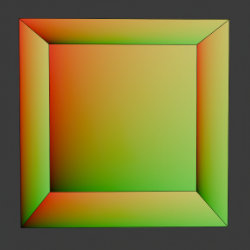
Technical Details
Asset Type: Geometry Nodes Asset
Usage
Select your MESH target object, use the Apply to Mesh button in the Addon panel to add this asset to your scene.
Parameters
Texture Scale: Scales UV Mapping/material
UV Attribute Name: The name used to store the UV map attribute (mentioned in the How to use section). Use the name set here in the Attribute node you use in the shader nodes as your UV Map
Surface Material: The material used (you can change this if needed)
Grout Material: The material used for the Grout
Floor/Ceiling Alignment: On patterns that are square tiles, the floor or ceiling won't be able to match both walls, this parameter switches the alignment of floor and ceiling to either X or Y axis
Offset X: Offsets mapping in local X axis (some walls will go opposite directions to maintain alignment between facing walls.)
Offset Y: Offsets mapping in local Y axis (some walls will go opposite directions to maintain alignment between facing walls.)
▼ GROUT (BETWEEN WALLS)
Width: The separation between the different surfaces (walls, ceiling, floor)
Grout Color: The color of the grout between surfaces
▼ TILE DIMENSIONS
Tiles Horizontally: how many tiles are distributed horizontally in the used material
Tiles Vertically: how many tiles are distributed vertically in the used material
User's Gallery
Have your render featured here!
Do you want to be featured? Submit a render using this asset to our Discord