Cable On Surface B
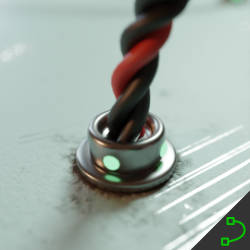
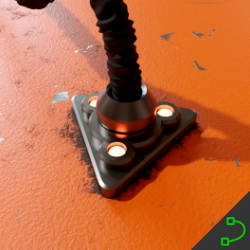
Technical Details
Asset Type: Geometry Nodes Asset
Usage
Select a target MESH object, use the Draw on Surface button in the Addon panel to draw this asset on its surface.
Parameters
Cable Material: By default the cable has a material assigned that allows you to change the color on the same modifier, but you can change it to any other material if you want
Cable Color: Cables color
Cable Roughness: Roughness of the cable
Cable Frecuency: Determines the repetition frequency of patterns or sub-elements along the cable.
Cable Resolution: The mesh resolution of the cable
Cable Radius: Sets the cable radius
Auto Handles: Smooths out sharp corners converting handles to auto
Target Object: The object where you are drawing the cables. The endpoints uses the normal of the target object to get aligned to it's surface
Cables Distance: The distance from the cable to the object's surface
Replace Tips: Replace the ends of the cable
Tips: Replace the ends of the cable
Tips Handles: The distance of the curve handle at the endpoints
Tips Distance: The distance from the endpoints to the surface (if you change the endpoints this will help you adjust to the new shape)
Tip Scale: Adjusts the scale of the cable's end cap objects.
Tip Offset: Adjusts the offset distance of the cable endpoints to the target surface.
Tip Color: Sets the base color for the cable's endpoint tips.
Tip Metallic: Metallic of the tips (only for the default tips, if you replace them with a custom object the material of that object will replace this)
Tip Roughness: Roughness of the tips (only for the default tips, if you replace them with a custom object the material of that object will replace this)
Tip Light Color: Light Color of the tips (only for the default tips, if you replace them with a custom object the material of that object will replace this)
Tip Light Str: Light Strength of the tips (only for the default tips, if you replace them with a custom object the material of that object will replace this)
Switch to Collection: Switch the source for the tips to a collection.
Collection: Objects in this collection will also be considered to align the endpoints, this allows you to create cables that go from one object to another
User's Gallery
Have your render featured here!
Do you want to be featured? Submit a render using this asset to our Discord