Using Materials
This section provides basic information on using materials. For a comprehensive overview, refer to the full User's Guide here.
The addon is located in the viewport's N-Panel (N hotkey). You will find a tab named "SLibrary". Click on this tab to access the addon interface.
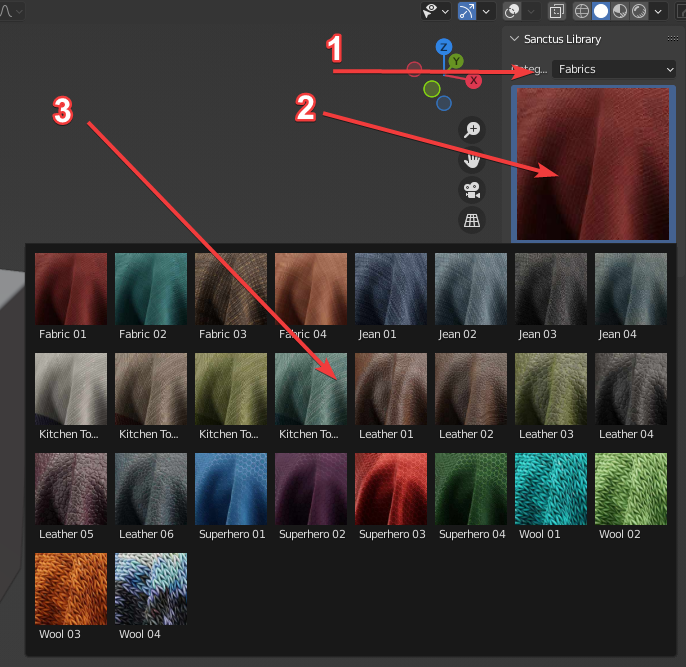
The Sanctus Library interface consists of the following key elements:
- Categories: Select from various material categories here.
- Selection Preview: This displays the currently selected material. Click the preview to change the selection.
- Material List: This area displays materials available in the currently selected category. It is visible only after clicking the "Selection Preview" image.
To assign a material:
- Select the object you want to apply the material to.
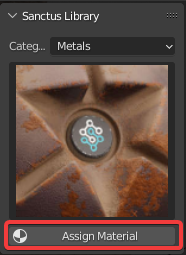
- Click the "Assign Material" button.
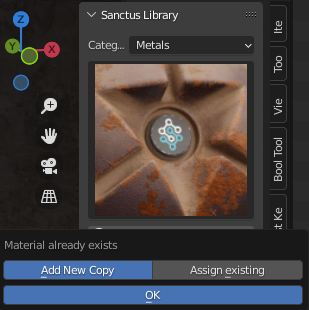
If the selected material is already assigned to the active object, or another object in the scene, you will be presented with the following options:
Assign the version of the material that is already present in your scene. This will preserve any changes you have made to the material parameters.
Add a new, fresh version of the material with the original, default parameters.