Neon Sign
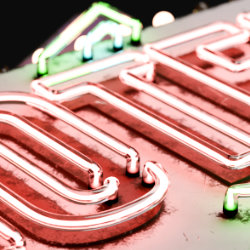
Technical Details
Asset Type: Geometry Nodes Asset
Usage
Use the Add New button in the Addon panel to add this asset to your scene.
Parameters
▼ GENERAL
Scale: Controls the scale of the entire asset
▼ LIGHT BULBS
Light Bulbs: Activate/Deactivate Light Bulbs
Number of Lights: Number of lights
Scale: Controls the scale of the entire asset
Broken Probability: The ratio of broken light bulbs
Animate Lights: Animates lights alternating them on and off
Animation Speed: The animation speed
Color: Light Bulb color
Switch On/Off: Switch lights on/off
Seed: Gives different results using the same parameters
▼ NEON TUBES
Height: The height of the tubes
Tube Radius: Light tube radius
Glass Radius: Glass tube radius
Endpoints Distance: Distance between endpoints of each tube tube
Fail Probability: The probability for each tube to fail
Fail Frequency: How frequent is the failing
Fail Animation Speed: The speed for the failing animation
Fail Seed: Gives different results using the same parameters
▼ NEON BASE
Base: Activate/Deactivate Neon Base
Height: The height of the tubes
Material: Replace the material
▼ DECORATION NEON
Sides: Number of sides
Rounded Borders: Controls how round the borders are
Radius 1: Radius of decoration 1
Radius 2: Radius of decoration 2
Rotation: Rotates decorations
Margin: At what distance from the main text of curves the decorations stops
Color 1: Color of decoration 1
Color 2: Color of decoration 2
Switch On/Off 1: Activate/Deactivate decoration 1
Switch On/Off 2: Activate/Deactivate decoration 2
▼ DECORATION BG
Decoration Background: Activate/Deactivate the decoration background
Height: The height of the tubes
Margin: At what distance from the main text of curves the decorations stops
Color: Light Bulb color
Material: Replace the material
▼ PANEL
Panel: Activate/Deactivate Main panel
Margin: At what distance from the main text of curves the decorations stops
Rounded Corners: Controls how round the borders are
Height: The height of the tubes
Color: Light Bulb color
Material: Replace the material
▼ TEXT
String: The text you want on the sign
Line Break Symbol: The symbol that will add a line break (if the symbol is /, then "H/O/T/E/L" will create a vertical text sign)
Size: Text/font size
Character Spacing: Character Spacing
Word Spacing: Word Spacing
Line Spacing: Line Spacing
Text Box Width: The length at which the text will jump into the next line. At 0 the text will always be in 1 line
Neon Color: Neon color for the text
Base Color: Background color for the text
Switch On/Off: Switch lights on/off
▼ CUSTOM CURVE
Custom Curve: Replaces the text with a collection of curves (by default one is provided as an example)
Curves Collection: The collection where the curves are located
Scale: Controls the scale of the entire asset
Base Color 1: The background color for curve 1
Base Color 2: The background color for curve 2
Base Color 3: The background color for curve 3
Neon Color 1: The neon color for curve 1
Neon Color 2: The neon color for curve 2
Neon Color 3: The neon color for curve 3
Realize Instances: Used before applying the geometry nodes modifier to convert the asset to mesh
User's Gallery
Have your render featured here!
Do you want to be featured? Submit a render using this asset to our Discord