Using SPM with Geometry Node Created Objects
The addon seamlessly supports traditionally modeled objects subsequently deformed or animated using the Geometry Nodes modifier. However, when working with objects entirely created within a Geometry Node setup, the following method ensures proper functionality.
How to Use SPM with Objects Created Entirely Inside a GN Node Group
To enable SPM on objects built entirely within a Geometry Node setup, you'll need to manually overwrite the rest_position attribute within your GN setup. This informs the addon what's the object's original, undeformed state.
- Locate the section of your node graph where the object exists in its "rest position" (i.e., after geometry creation but before any animation or deformations).
- Overwrite the
rest_positionattribute as demonstrated in the example below. - Implement any desired animation or deformation after replacing the
rest_positionattribute. - Assign the material (that already has the SPM node) by using a
Set Materialnode.
Example: Simple Object Created by Boolean Operation (UV Sphere and Cube)
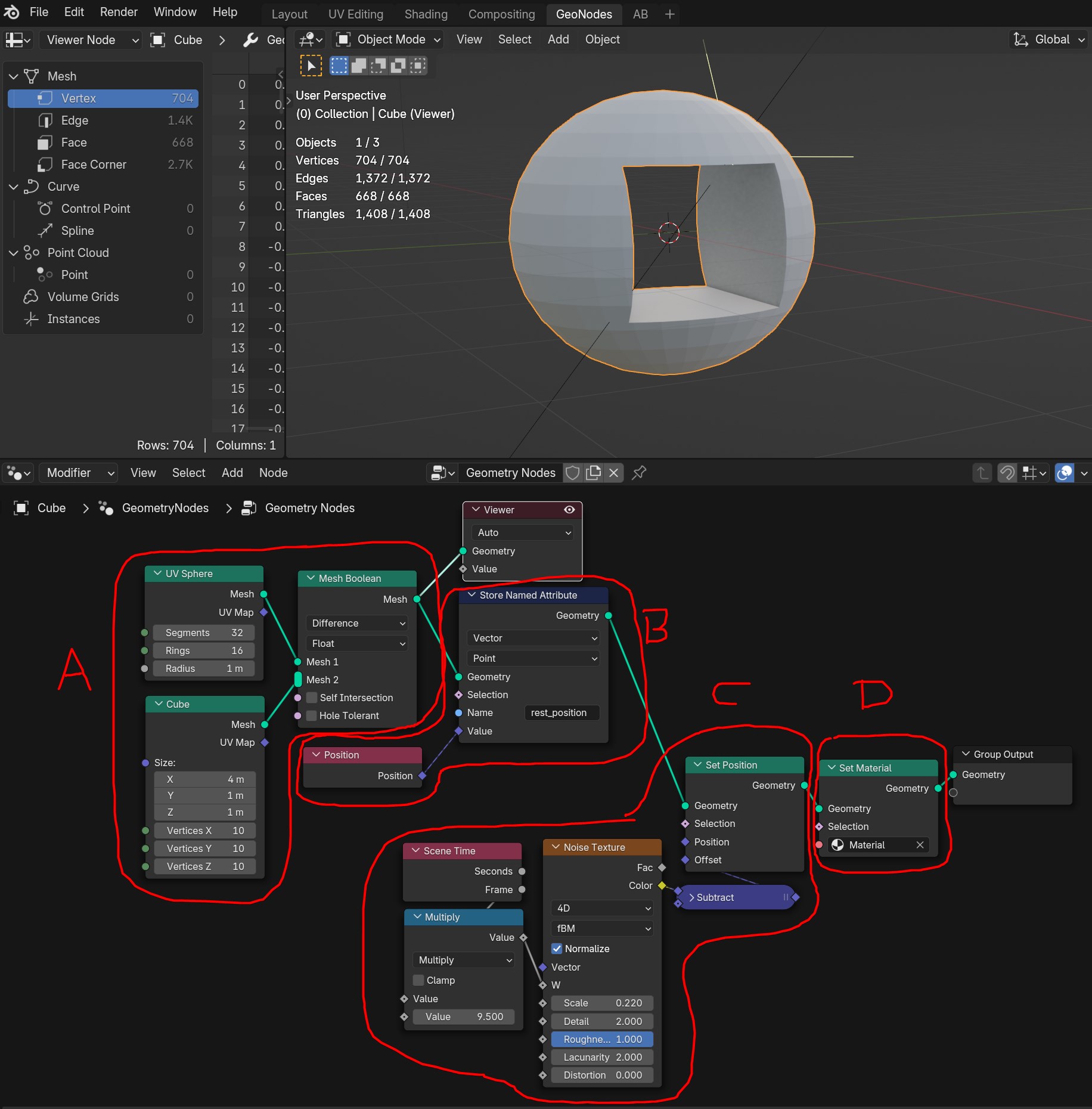
A. Identify the finished object before any transformations are applied (object in the rest position).
B. Overwrite the "rest_position" attribute using a Position node and a Store Named Attribute node.
C. Simple animation test performed after the rest position has been replaced.
D. Assign the material that utilizes the SPM node.
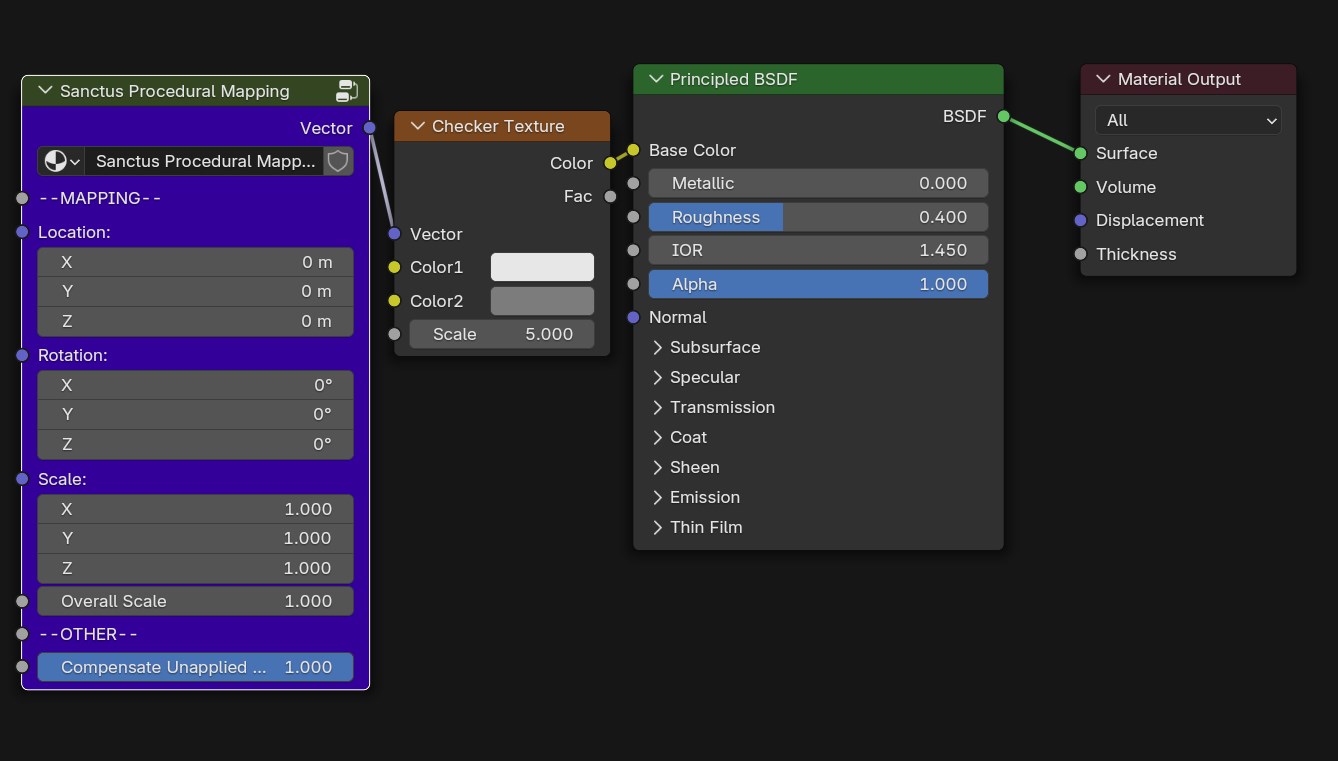
Material Used in the Example
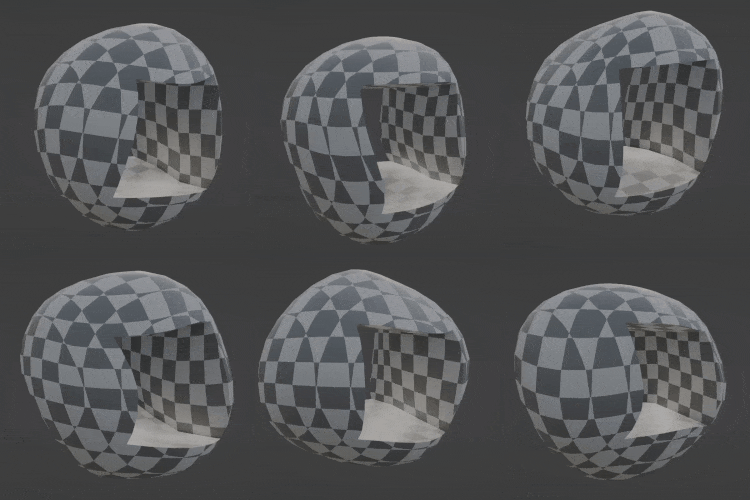
Final Result