Screen It
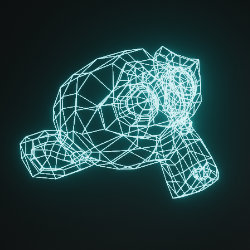
Technical Details
Asset Type: Geometry Nodes Asset
Usage
Select your MESH target object, use the Apply to Mesh button in the Addon panel to add this asset to your scene.
Parameters
▼ SCREEN
Screen Width: Screen Width
Screen Height: Screen Height
Emission Color: Screen emission color
Emission Strength: Screen emission strength
Pixel Scale: Screen pixel texture scale
Pixel Gap: Space between pixels
▼ OBJECT ON SCREEN
Object Scale: Object scale on screen
Wire Radius: Object wire radius
Rotate X: Rotate along X axis
Rotate Y: Rotate along Y axis
Rotate Z: Rotate along Z axis
Rotation Speed: Rotation speed when timeline is playing
Manual Rotation: Manually rotate the object
▼ OTHER
Overall Scale: Overall scale
User's Gallery
Have your render featured here!
Do you want to be featured? Submit a render using this asset to our Discord