Use your own images
The Decal Tool has 2 ways to incorporate your own local image files as decals in your creations.
Single Image
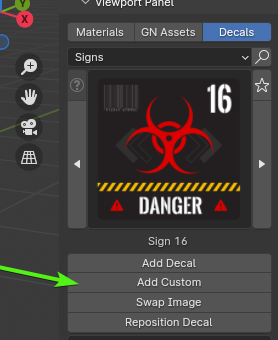
You can quickly incorporate your own local image as a decal. Simply click the Add Custom button and navigate to the desired image on your local drive. This process is for a single image in a specific situacion.
Pro Tip
The Decal Tool supports .png files with alpha channel, enabling you to create decals with non-rectangular shapes.
Create your own Categories with Local Files
If you want to LOAD your own local folders with as many images as you want as categories for the Decal Tool you can follow this guide: Add Local Folders as Decal Categories