Moss Generator
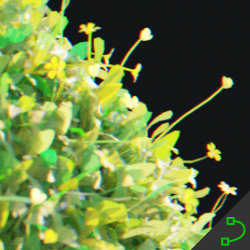
Technical Details
Asset Type: Geometry Nodes Asset
Usage
Select a target MESH object, use the Draw on Surface button in the Addon panel to draw this asset on its surface.
Parameters
▼ MOSS
Color: Moss color
Hue Variation: variation in hue
Saturation Variation: variation in saturation
Brightness Variation: variation in brightness
Translucent: Translucent control
▼ FLOWERS
Color: Moss color
Density: Amount of Flowers
Look up: Gradually points the flowers up (By default they are aligned to the closest face normal in the target object, if that face is inclined you can use this parameter to force the flower to align looking up, like it would do seeking the sun)
Hue Variation: variation in hue
Saturation Variation: variation in saturation
Brightness Variation: variation in brightness
▼ OTHERS
Noise Scale: The scale of the noise used to affect the limits of the moss
Noise Factor: How strong the noise affects the limits of the moss
Distance: The distance from the curves to grow moss
Falloff: Makes the moss smaller and less dense as it closes to the borders
Backface Tolerance: This parameter controls if the moss can grow on faces that are looking on a different direction than the closest face to the curve. For example in the following case, low tolerance will prevent the moss from growing on the back of the monkey ear, even if the distance is enough to allow it
Scale: The scale of the noise used to affect the limits of the moss
Seed: Gives different results using the same parameters
Viewport Density: The amount of particles shown in the viewport
Render Density: The amount of particles shown in renders
Target Object: The object where you will be drawing the curves
User's Gallery
Have your render featured here!
Do you want to be featured? Submit a render using this asset to our Discord