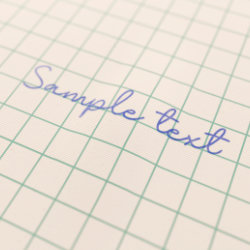
Write On Surface
Technical Details
Asset Type: Geometry Nodes Asset
Usage
Select a MESH object and use the Place on Surface button in the Addon panel to place this asset on its surface.
Parameters
Target Object: This is filled automatically with the target object
String: The text you want to display (remember that
will add a line break)
Ink Color: font color
Font Size: Font size
Character Spacing: Character spacing
Word Spacing: Word spacing
Line Spacing: Line spacing
Text Box Width: Size of text box, if it reaches this limit it will jump to the next line (0 will be infinite and only manual line breaks will affect it)
Projection Distance: The distance from which the text is projected
Material: The material used for the text
Offset: An offset to slightly adjust the position of the text (Z will offset along closest face in target objects normal)
User's Gallery
Have your render featured here!
Do you want to be featured? Submit a render using this asset to our Discord