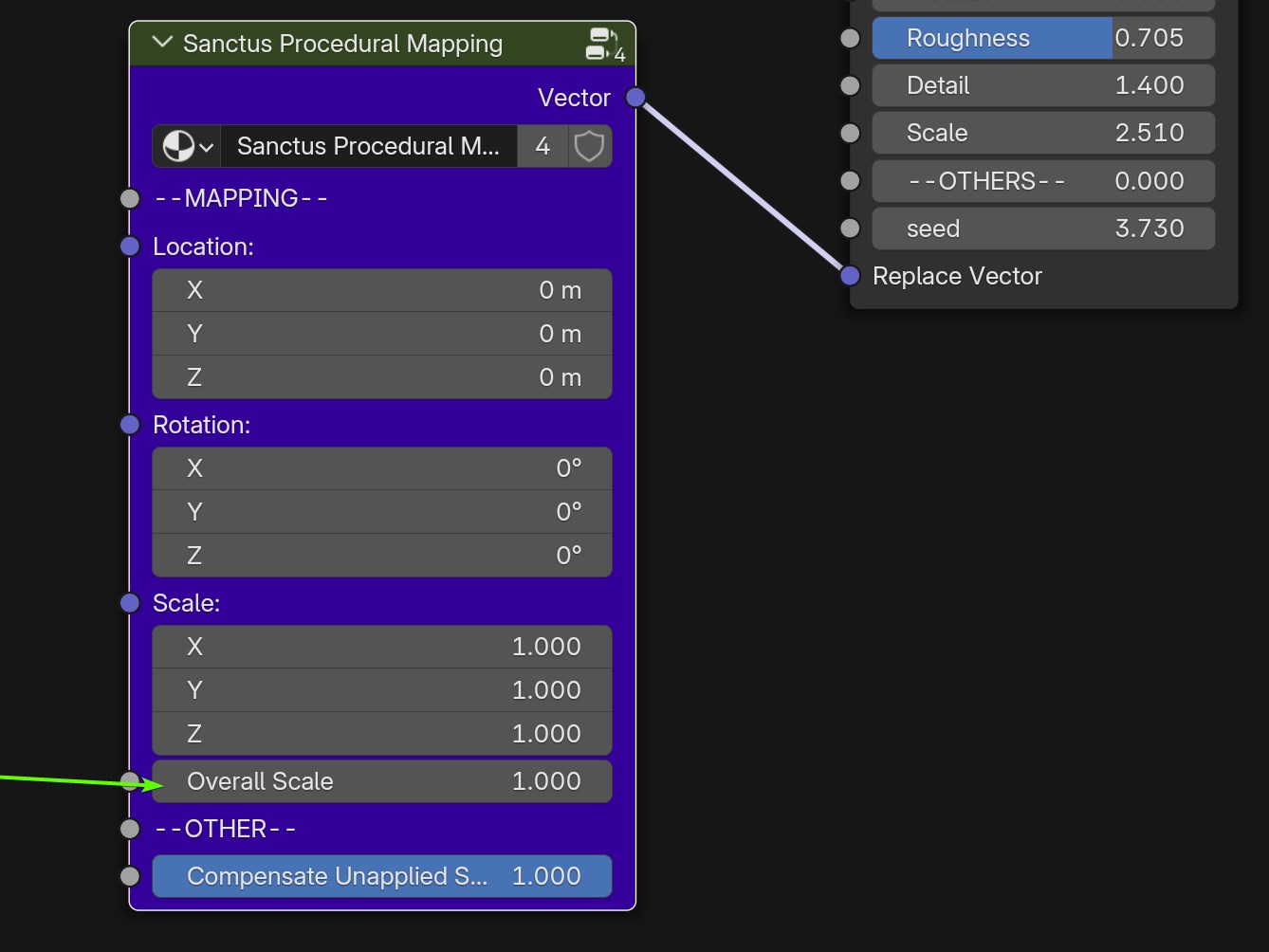
Use on Existing and New Materials
Sanctus Library Materials
Most Sanctus materials already have an exposed vector input that you can use to replace the coordinates.
UV Mapped Materials
Materials using or designed for UV Maps (identified with a UV icon in Sanctus Library) will not work with "Sanctus Procedural Mapping", but also they don't actually need it. UV coordinates already stick to the object surface.
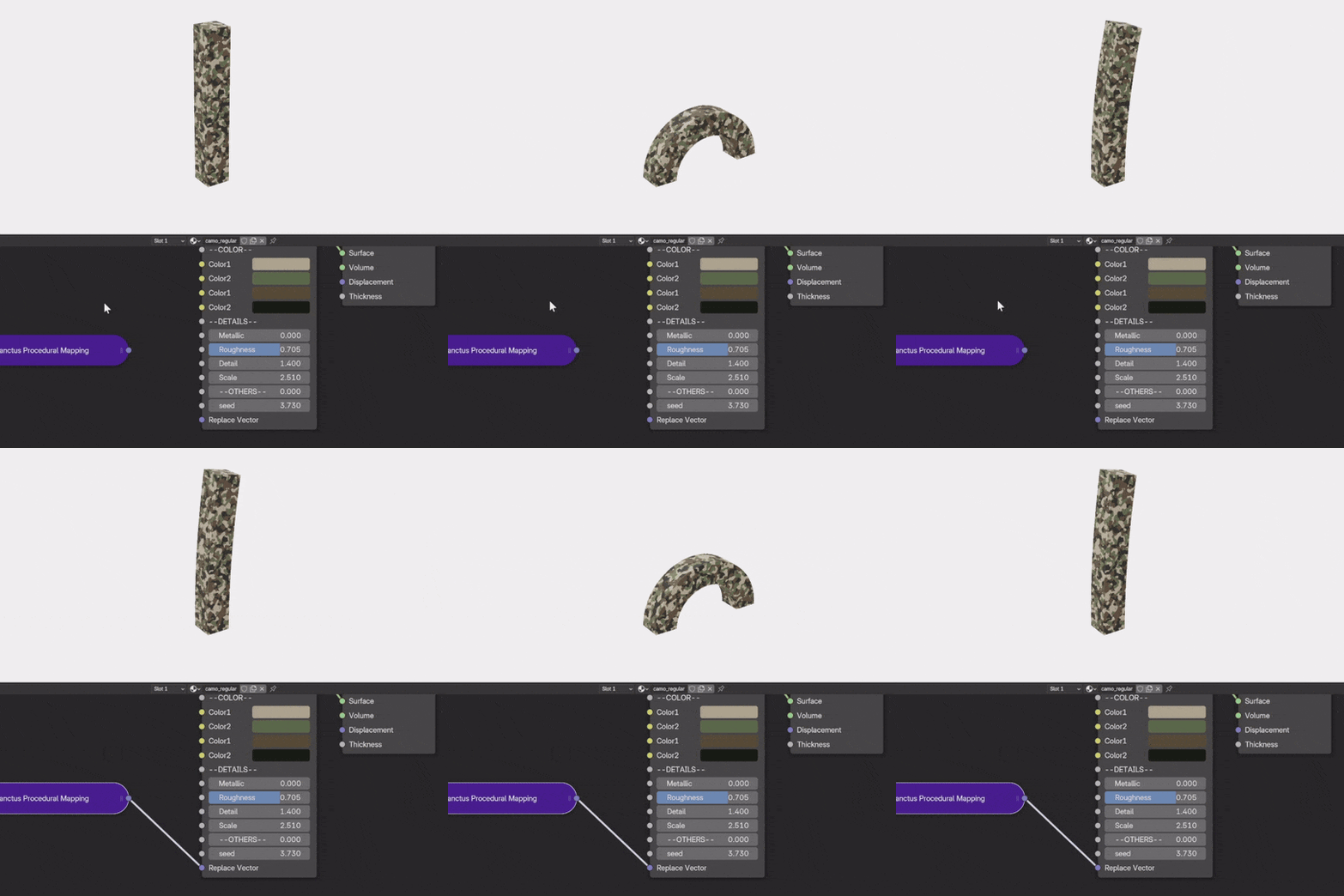
Other Materials
Any node using Object or Generated coordinates must be replaced with the "Sanctus Procedural Mapping" node. In straightforward cases where the connections are identical, the replacement is simple:
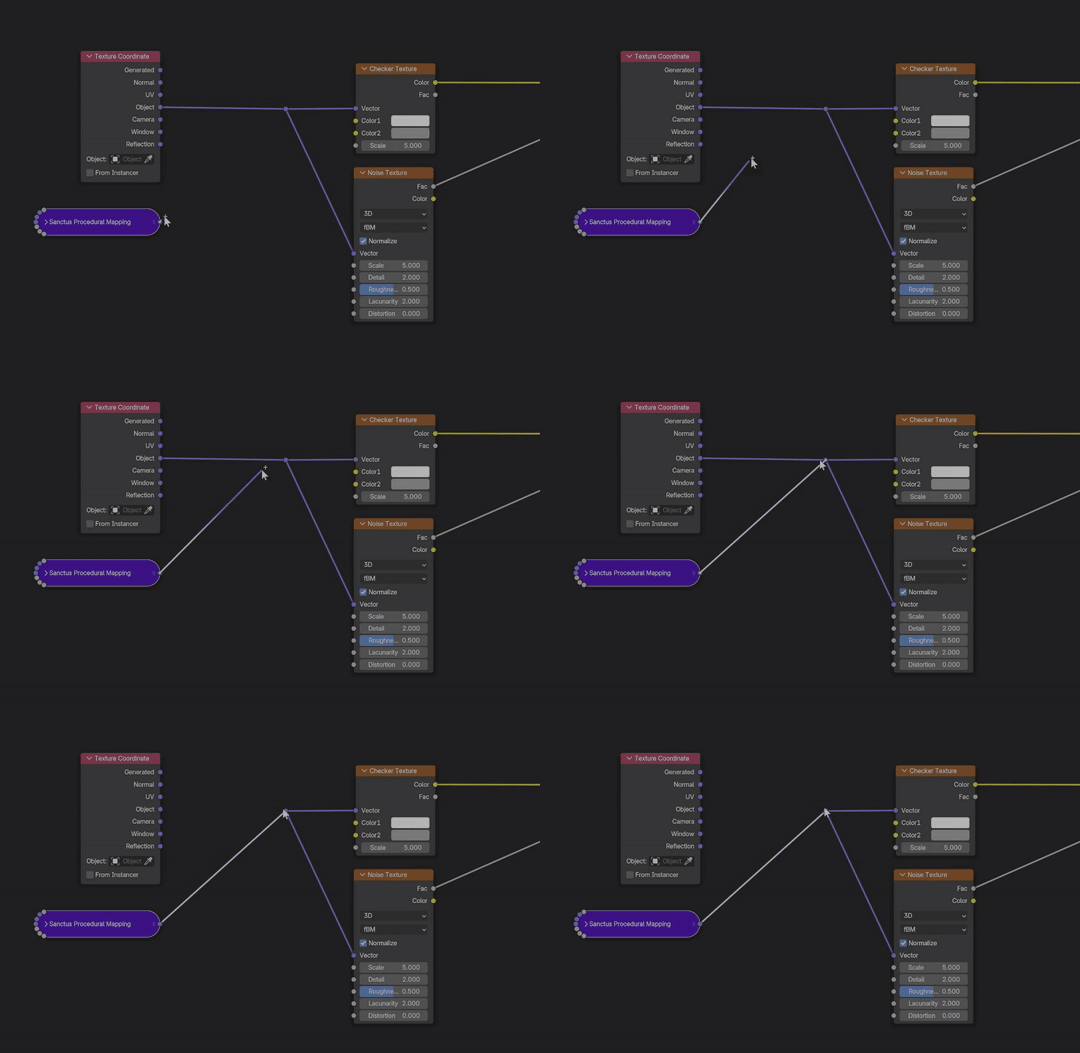
For more complex or disorganized materials, you'll need to manually locate the nodes using Object or Generated coordinates and replace them with the new node.
New Materials
When creating new materials, you can directly use the "Sanctus Procedural Mapping" node instead of Object and Generated coordinates. This ensures that the resulting materials will function correctly in Blender even if the addon is not installed.
Centralized Mapping Controls
You can adjust the material's scale, location, and rotation using the parameters within the custom node. This centralizes control, allowing you to modify these properties in a single node instead of adjusting each node individually.