Brick Transform

Technical Details
Asset Type: Geometry Nodes Asset
Usage
Select your MESH target object, use the Apply to Mesh button in the Addon panel to add this asset to your scene.
UVs
The effect applies a default material called "sl_brick_transform" with a white color, but the important part is that this material has an attribute that replicates the original object's UVs.
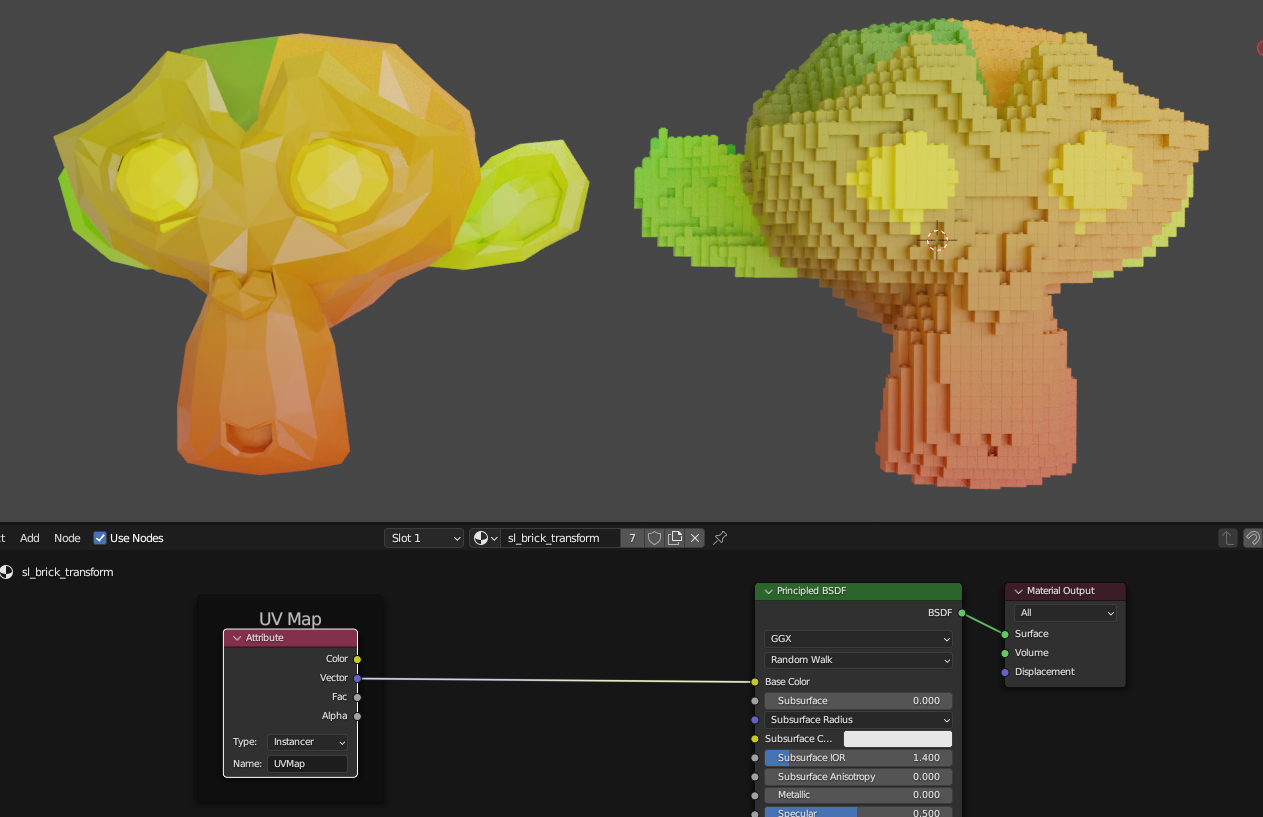
If you go to the Shading tab and select the "sl_brick_transform" material you will see a node with the label "UV Map" on it, if you use this node's vector output on an Image texture you will have the original objects UVs. To edit this UV's you can simply edit the original objects UVs as usual and the bricks will replicate the changes.
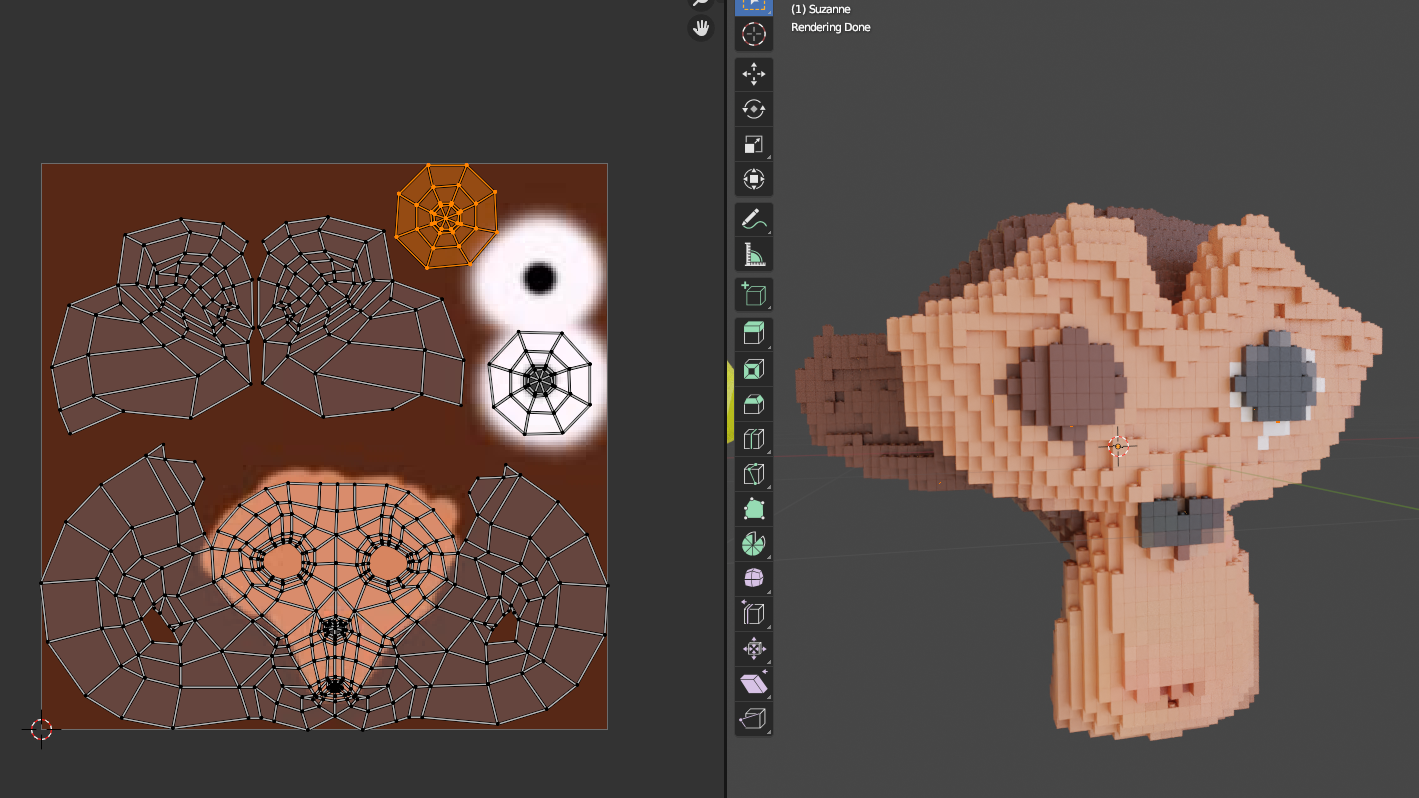
Multiple objects with Brick Transform
By default all the objects will share the same material, if you want to assign different materials you can make single user copy of the material and change it on the modifier Material Slot
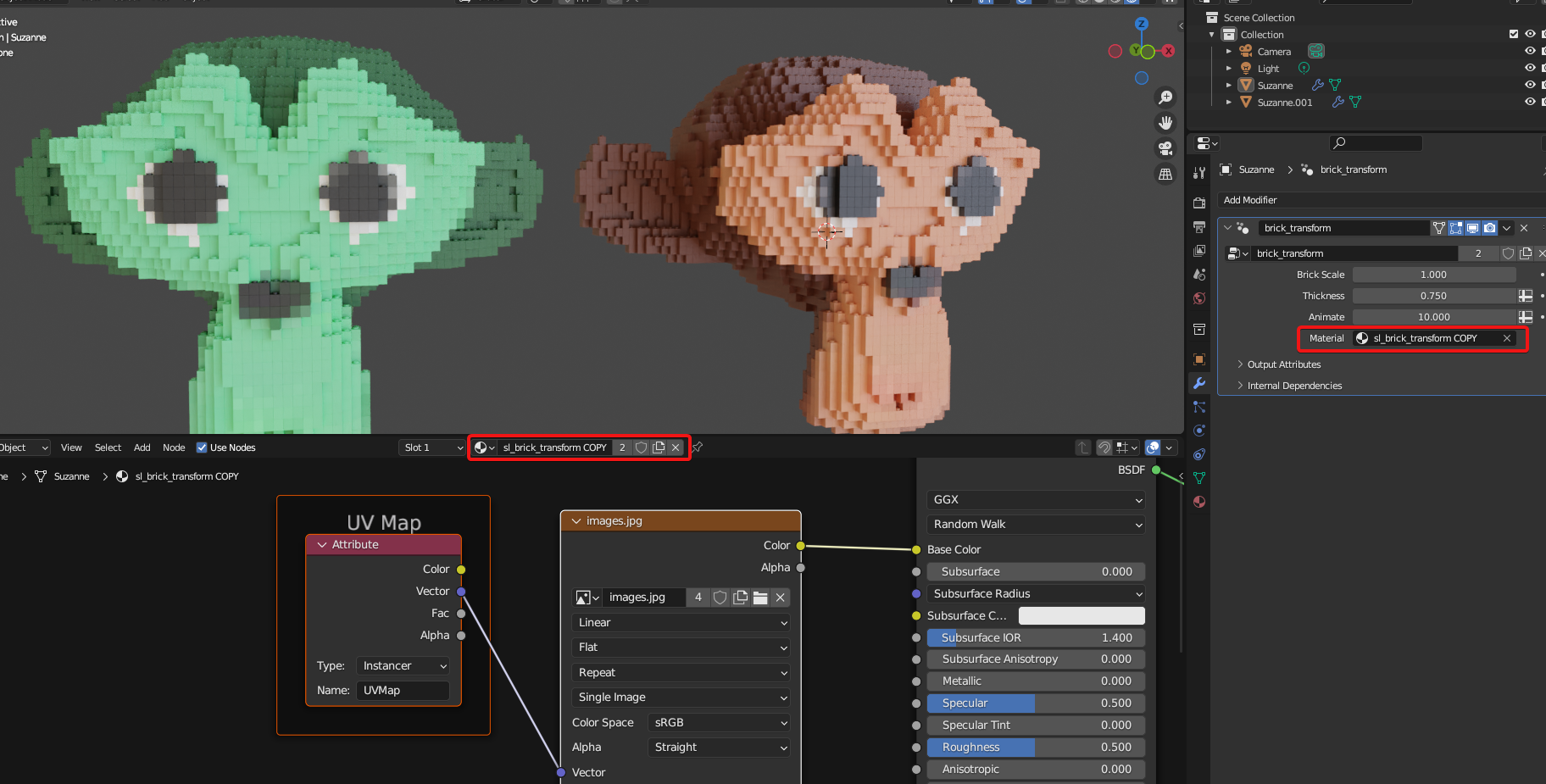
Parameters
Brick Scale: Size of the bricks
Thickness: Bricks are instanced close to the faces of the target object, this parameter controls how far from it they will still be instanced
Animate: A control for an animation that makes the brick fly into place
Material: The assigned material
User's Gallery
Rich Bricks by The Hangar Designs
the front portion of a business card for some friends that run a lego reselling business, used the brick transform affect along with the SL dual light

Do you want to be featured? Submit a render using this asset to our Discord