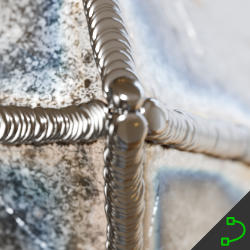
Weld Tool
Technical Details
Asset Type: Geometry Nodes Asset
Usage
Select a target MESH object, use the Draw on Surface button in the Addon panel to draw this asset on its surface.
Parameters
Target Object: The object where you will be drawing the curves
Weld Material: The material used by the weld trace
▼ WELD
Weld Color: Weld color
Weld Metallic: Weld Metallic
Weld Roughness: Weld Roughness
Spacing: The spacing between dots
Scale Ratio: Aspect ratio of the dots
Scale Factor: A factor to scale the dots using the defined scale ratio
Scale Jitter: A parameter to add some scale variation along the curves
Scale Jitter Frequency: The frequency for the scale variation
Skipping: Smaller dots start being removed as we increase this value
1st dot Height Factor: The first dot of each curve height (since this dot doesn't have a precedent dot covering it, sometimes we can see it go below the surface, with this value you can avoid that)
Offset: Offsets the curve position along the normals (to control the distance to the surface)
Rotation: Controls the local rotation of the dots
▼ GEOMETRY
Realize Instances: Activate this Only before applying the modifier to convert instances to mesh. (It may take some processing time)
User's Gallery
Have your render featured here!
Do you want to be featured? Submit a render using this asset to our Discord