Tile Surface
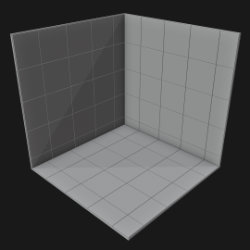
Technical Details
Asset Type: Geometry Nodes Asset
Usage
Select your MESH target object, use the Apply to Mesh button in the Addon panel to add this asset to your scene.
Parameters
▼ TILES SIZE
Tile Width: Tiles width
Tile Length: Tiles length
Tile Height: Tiles height
▼ TILES SURFACE
Tile Color: Tiles color
Tile Variation: Tiles color and roughness variation
Tile Roughness: Tiles Roughness
Material: Material used in tiles (Tiles Surface Parameters will only work with the default material)
▼ GROUT
Grout Color: Grout Color
Tiles Separation: Space between tiles
Panels Separation: Separation between the different areas (like when the wall intersects with the floor or another wall)
Material: Material used in tiles (Tiles Surface Parameters will only work with the default material)
▼ TILES PATTERN
Offset Rows: Offset every other row
X Offset Tiles: Offset all tiles in local X axis (Helps better match your surface dimensions)
Y Offset Tiles: Offset all tiles in local Y axis (Helps better match your surface dimensions)
Floor Alignment: Aligns the floor with different walls
Auto Align Tiles: Automatically aligns the tiles within the pattern.
User's Gallery
Have your render featured here!
Do you want to be featured? Submit a render using this asset to our Discord