Convert to Mesh
Converting a Mesh Object with a Geometry Nodes modifier to Mesh
1- Select the object
2- Go to the GeoNodes editor Tab (The Geometry Nodes modifier must be selected in case you have more modifiers applied to the object)
3- Add a "Realize Instances" node just before the Group Output node:
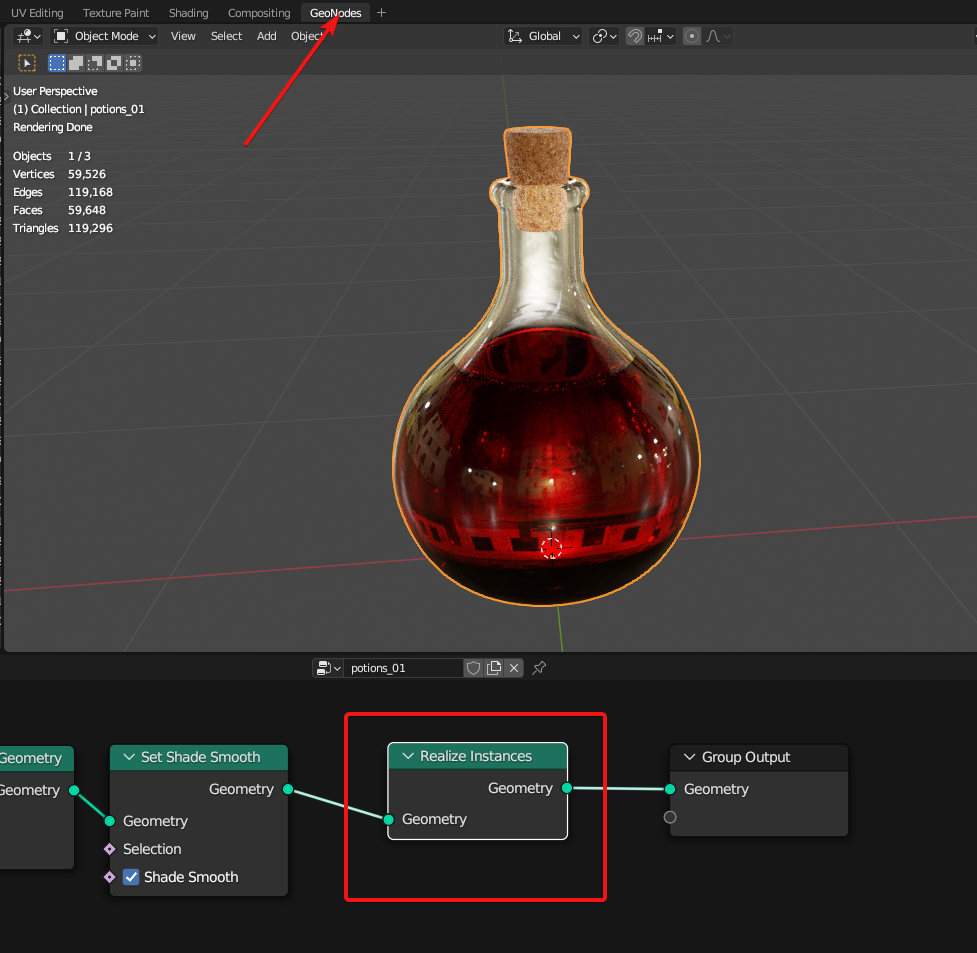
4-You can either apply the geometry nodes modifier or right click the object and select "Convert To > Mesh"
Converting a Curve with a Geometry Nodes modifier to Mesh
1- Select the object
2- Go to the GeoNodes editor Tab (The Geometry Nodes modifier must be selected in case you have more modifiers applied to the object)
3- Add a "Realize Instances" node just before the Group Output node:
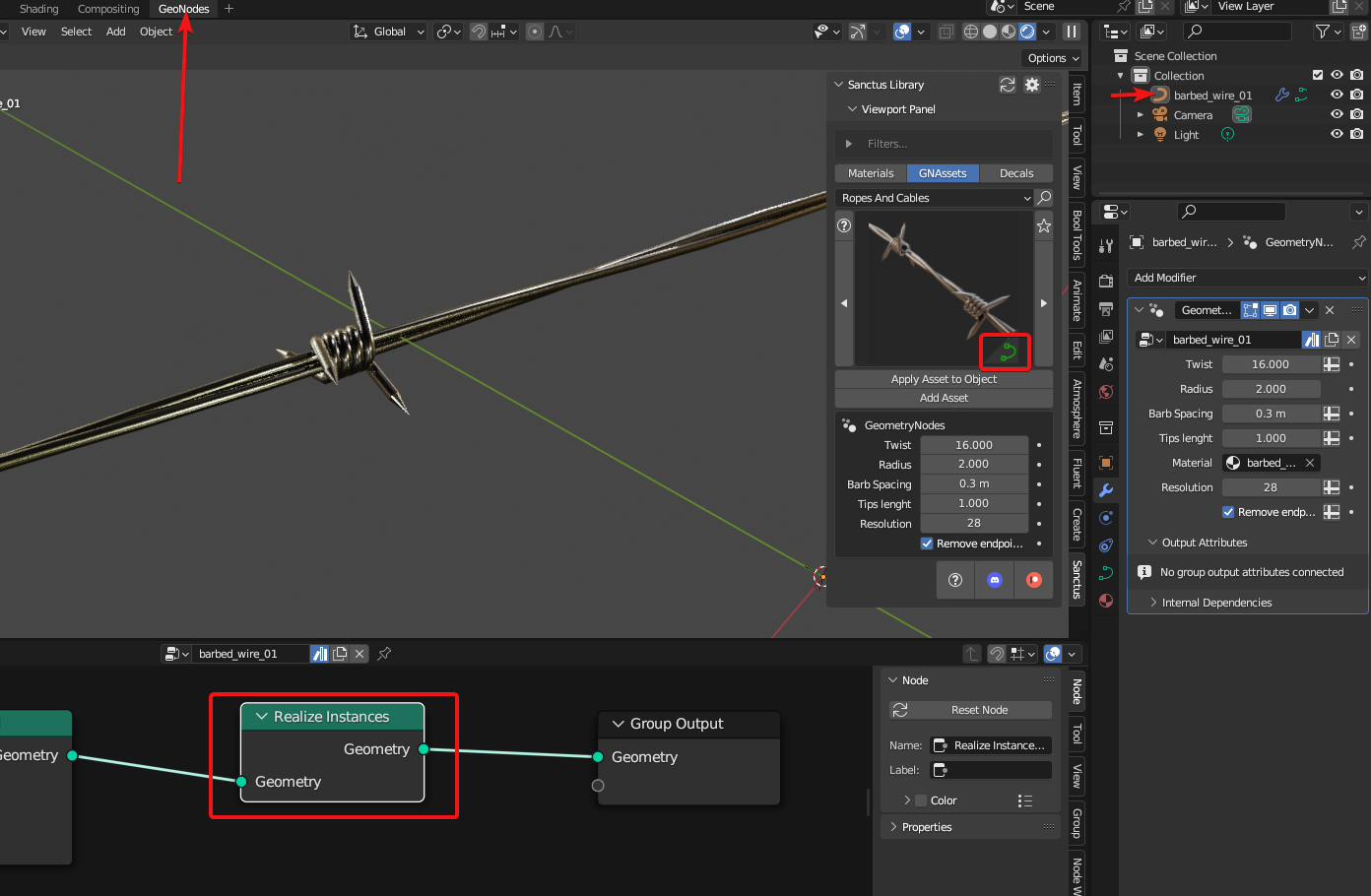
4-Right click the object and select "Convert To > Mesh"