Framed Image
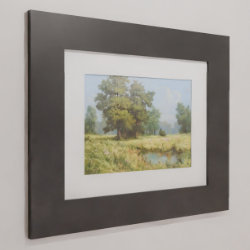
Technical Details
Asset Type: Geometry Nodes Asset
Usage
Select a MESH object and use the Place on Surface button in the Addon panel to place this asset on its surface.
Parameters
Image Texture: The image used in the asset
Material: The material
Picture Width: The width of the image in the asset (height will be automatically calculated using the aspect ratio of the image)
UV Map Attribute: The name of the attribute used in the shader editor for the UV Map
▼ POSITION
Wall separation: A separation value to give the frame some separation from the wall
▼ PASSE-PARTOUT
Color: Passe-Partout color
Size: Passe-Partout width (0 to deactivate)
▼ FRAME
Color: Passe-Partout color
Thickness: Frame thickness
Depth: Frame depth
Gap: Gap between the 4 parts of the frame (in the corners)
User's Gallery
Have your render featured here!
Do you want to be featured? Submit a render using this asset to our Discord